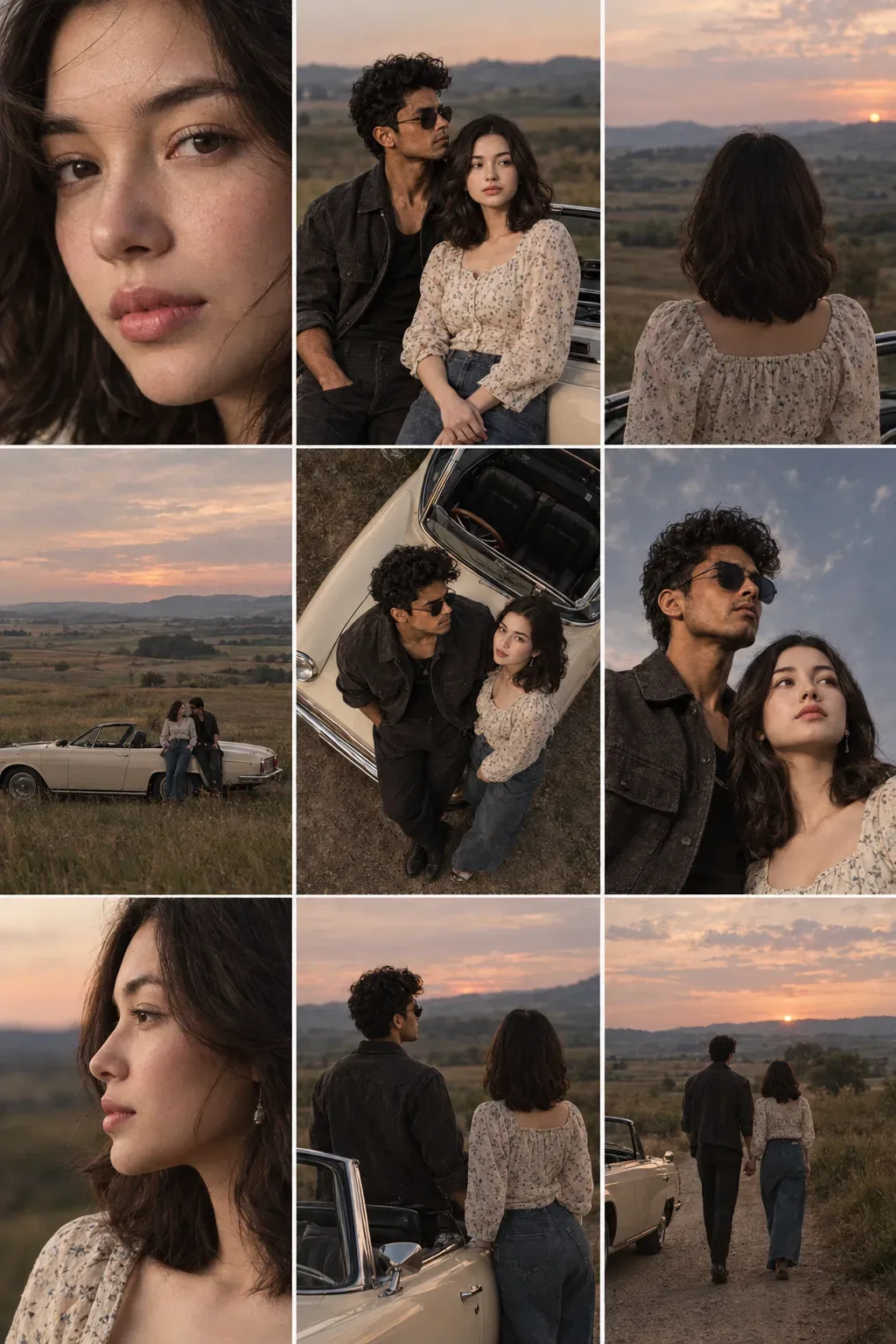
Quick Summary: This verified Google Gemini (Imagen 3) & Bing Image Creator prompt creates an intimate cinematic romantic couple aesthetic for Cute Couple Meadow Grass Selfie Collage AI Photo Prompt with calibrated lighting, authentic texture physics, and tested 1-click copy-paste formula for instant AI generation without facial distortion.
- Photography
- Couples
- Romantic
- Collage
- Editorial
- Ai Image
- Trending
- Photography
- Couples
- Romantic
- Collage
- Editorial
- Ai Image
- Trending
- Viral Prompt
- Gemini Ai
- Bing Image Creator
- Copy Paste
About This Prompt
Create a Cute Couple Meadow Grass Selfie Collage AI Photo Prompt — a cinematic and romantic couple scene. The generation focuses on realistic multi-subject composition, genuine expressions, and beautiful background depth, making it ideal for wedding invitations or couple DPs.
Optimized specifically for Google Gemini. Upload a clear front-facing selfie as a reference image, then paste the prompt text. The AI will preserve your facial likeness while applying the requested style, lighting, and background.
Cute Couple Meadow Grass Selfie Collage AI Photo Prompt - Copy Paste AI Prompt
Keep the subject's real face exactly the same as the reference image.
Do NOT change facial structure, jawline, eyes shape, nose, lips, skin tone, beard, hairline, age, or expression.
Maintain 100% identity accuracy.
No beautification, no face swapping, no Al alteration.
Preserve natural skin texture, pores, asymmetry, and imperfections.
The person must be instantly recognizable as the same individual.
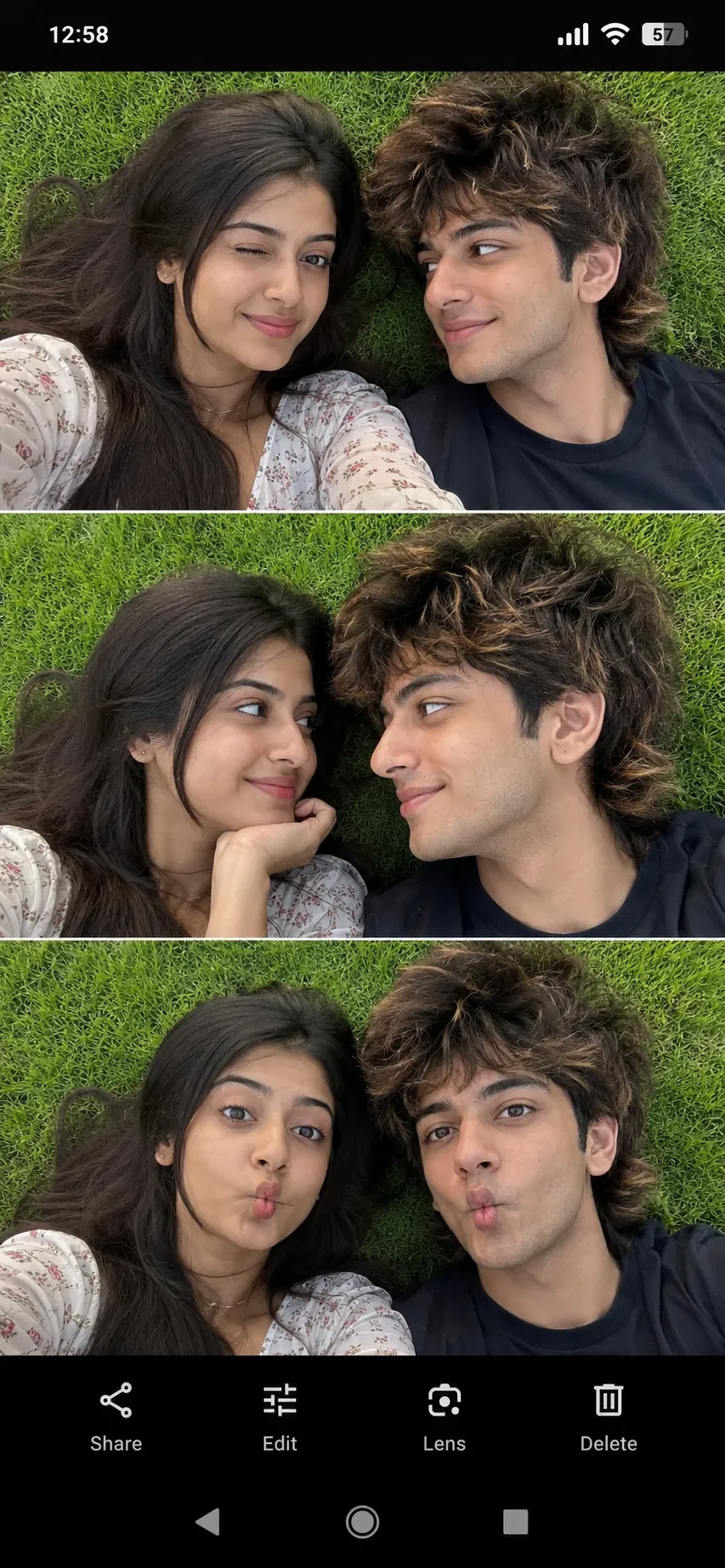
A multi-panel image, split into three horizontal sections, showing a young adult woman and a young adult man lying on green grass, looking at the camera or at each other.
**Panel 1 (Top):**
The woman is on the left, looking directly at the camera with her right eye winking. She has long, dark brown, wavy hair and medium brown skin tone. She appears to be in her early 20s. She is wearing a light-colored, floral-patterned top. The man is on the right, looking at the woman with a slight smile. He has medium-length, voluminous brown hair with lighter highlights, styled in a mullet-like fashion. He has a fair skin tone and appears to be in his early to mid-20s. He is wearing a dark blue or black T-shirt. Both are lying on vibrant green grass, which fills the background.
**Panel 2 (Middle):**
The woman is on the left, looking tenderly at the man and resting her chin on her hand. She has a subtle smile. The man is on the right, looking back at the woman with a gentle, soft smile. Their faces are close together, centered against the backdrop of the bright green grass.
**Panel 3 (Bottom):**
The woman is on the left, looking directly at the camera with a playful, pouting expression (making a "fish face"). The man is on the right, looking directly at the camera with a similar playful pouting expression. They are lying side-by-side on the green grass.
The overall image has good lighting, likely taken outdoors during the daytime. The photos are casual selfies or close-up portraits. The bottom portion of the image includes standard mobile phone navigation and app icons, indicating it is a screenshot of a mobile screen.

Optical Identity & Likeness Preservation: Strictly retain 100% exact facial likeness, natural cheekbone contours, true skin undertone, and authentic gaze from source image without generic face replacement.Frequently asked questions
- How do I use the Cute Couple Meadow Grass Selfie Collage AI Photo Prompt prompt?
- To use this prompt, simply click the "Copy Prompt" button above. Then, open Google Gemini, paste the copied text into the prompt box, and hit generate. Since this is a character-focused prompt, make sure to upload a clear reference photo of your face before generating to maintain your facial identity.
- What is this prompt best used for?
- This specific prompt is highly optimized for designing romantic couple portraits and wedding invitations. The formula is structured to produce high-contrast, visually appealing results that perform well on visual platforms.
- Can I customize the details of this prompt?
- Yes! While the core structure of the prompt is optimized for Google Gemini, you can easily customize the details. We recommend changing specific keywords like clothing colors, background locations, or the overall mood (e.g., changing "sunny" to "rainy" or "neon") to match your exact vision.
What You'll Get
- 🎨 Style: Photography
- ✨ Mood: Photography
- 📱 Best For: Couples
- 🤖 Works With: Google Gemini
- 🔥 Popularity: Copied 6,091 times
- 📅 Added: Sep 14, 2026
Explore Related Collections
Explore Photography Prompts — Browse our curated collection of Photography prompts tailored for creators. View all Photography prompts →
Explore Couples Prompts — Discover more viral Couples ideas for your next AI generation. View all Couples prompts →
Explore Romantic Prompts — Explore our extensive library of Romantic templates ready to copy and paste. View all Romantic prompts →