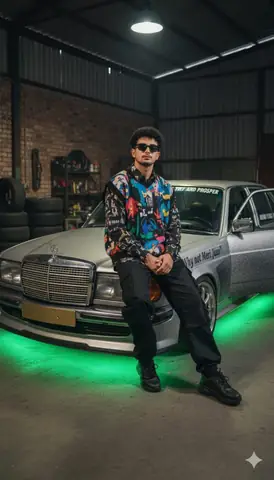
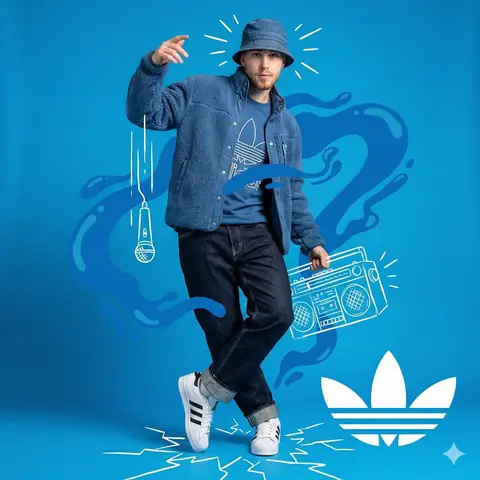
Quick Summary: This verified Google Gemini & Bing Image Creator prompt creates an stylish attitude boy street portrait for Urban alley man and chibi Kakashi Hatake gemini prompt with calibrated lighting, authentic texture physics, and tested 1-click copy-paste formula for instant AI generation without facial distortion.
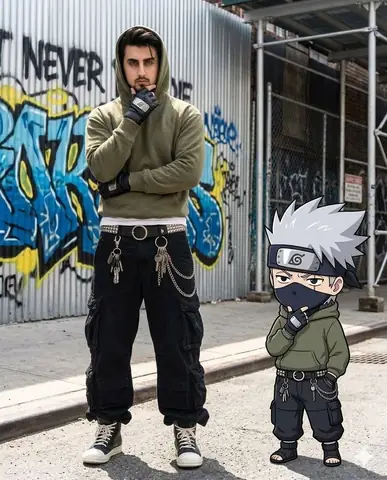
Urban alley man and chibi Kakashi Hatake gemini prompt - Copy Paste AI Prompt
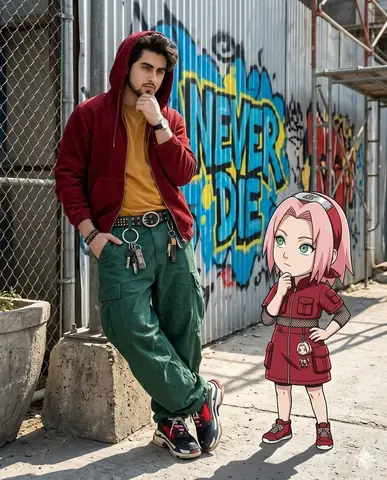
​A hyper-realistic photo of a man and a small 2D chibi Kakashi Hatake standing side-by-side in an urban alley. They are wearing identical outfits: olive green hoodies, black baggy pants, and studded belts with wallet chains. Both are striking the same "thinking" pose with a hand on their chin. Background features a corrugated metal wall with colorful graffiti. 8k resolution, cinematic lighting, 100% my face same, I need this prompt picture, zoom in 4:5 Man full body and black shoes,Technical Prompt Parameters (Attitude Boy & Stylish DP)
| Parameter | Configuration | Output Impact |
|---|---|---|
| Target AI Engine | Google Gemini & Bing Image Creator | Engineered for viral Instagram reels display pictures and WhatsApp DP engagement. |
| Recommended Aspect Ratio | 9:16 (Full Screen DP & Reel) or 1:1 (Profile Icon) | Fills mobile display screens completely without black letterboxing or cropped hair. |
| Camera & Lens Settings | 85mm f/1.8 prime lens, Sony A7 IV, crisp focal separation | Sharp high-contrast focus on sunglasses, hoodie texture, and confident facial expression. |
| Lighting Style | Dramatic street golden hour or neon urban backlighting with cool rim contour | Carves strong jawline definition and dramatic contrast for a bold, commanding profile look. |
| Negative Constraints | cartoon face, childish features, distorted sunglasses, blurred background clutter, extra limbs | Keeps masculine features razor-sharp, realistic, and free from cartoon distortion. |
| Reference Photo | Upload a confident front-facing or slight 3/4 angle selfie with good daylight. | Upload front-facing reference photo for face matching. |
How to use this prompt
- Copy the prompt below
- Open Google Gemini (gemini.google.com)
- Upload your photo
- Paste the prompt
- Generate your viral photo instantly
How to get better results from Urban alley man and chibi Kakashi Hatake gemini prompt
Copy paste this chibi Kakashi Hatake Gemini AI prompt to create a hyper-realistic urban alley photo. Works instantly — just upload your photo and paste. Use it as a copy-ready starting point, then adjust the subject, scene, tone and output format for your own result.
- Ai Image
- Boys
- Cinematic
- City
- Gemini
- Photo Editing
Customize before generating
- Replace the main subject, name, product or character details.
- Adjust lighting, background, mood, camera angle or aspect ratio if the prompt is visual.
- Change tone, audience, language and output format if the prompt is for text.
- Keep this core idea clear: ​A hyper-realistic photo of a man and a small 2D chibi Kakashi Hatake standing side-by-side in an urban alley. They are wearing identical outfits: olive green...
Quick variations to try
- Make Urban alley man and chibi Kakashi Hatake gemini prompt more cinematic with stronger lighting and richer background detail.
- Turn Urban alley man and chibi Kakashi Hatake gemini prompt into a cleaner mobile-first version for social media posts or profile use.
- Create a premium version of Urban alley man and chibi Kakashi Hatake gemini prompt with sharper style, higher detail and a more polished final output.