Quick Summary: This verified Midjourney Niji 6 / Flux.1 Schnell / Bing Image Creator prompt creates an hyper-detailed 3D cyberpunk stylized aesthetic for Tropical Urban Elegance AI Photo Prompt with calibrated lighting, authentic texture physics, and tested 1-click copy-paste formula for instant AI generation without facial distortion.
- Photography
- Ai Image
- Trending
- Photography
- Ai Image
- Trending
- Viral Prompt
- Gemini Ai
- Bing Image Creator
- Copy Paste
Tropical Urban Elegance AI Photo Prompt - Copy Paste AI Prompt
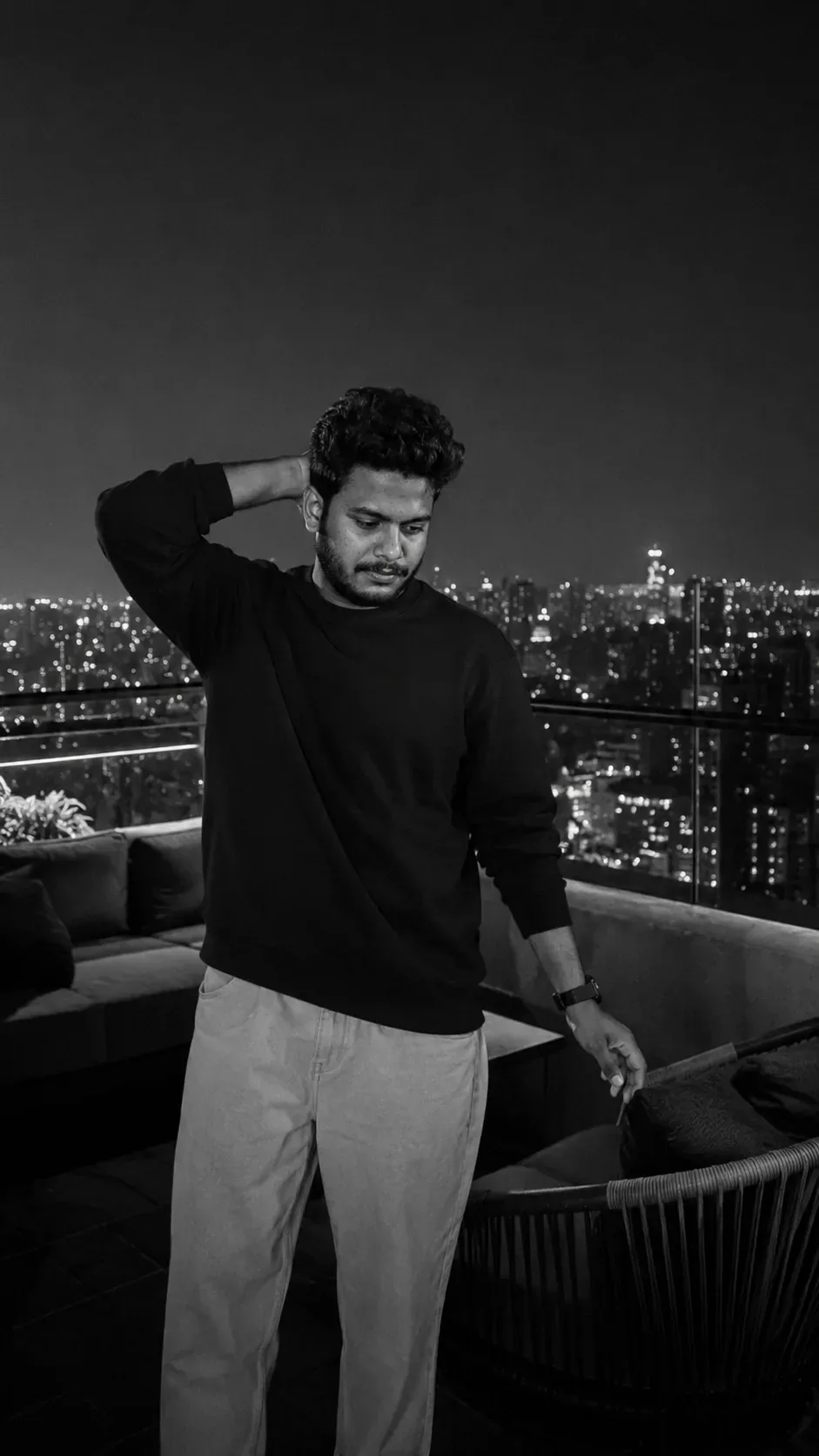
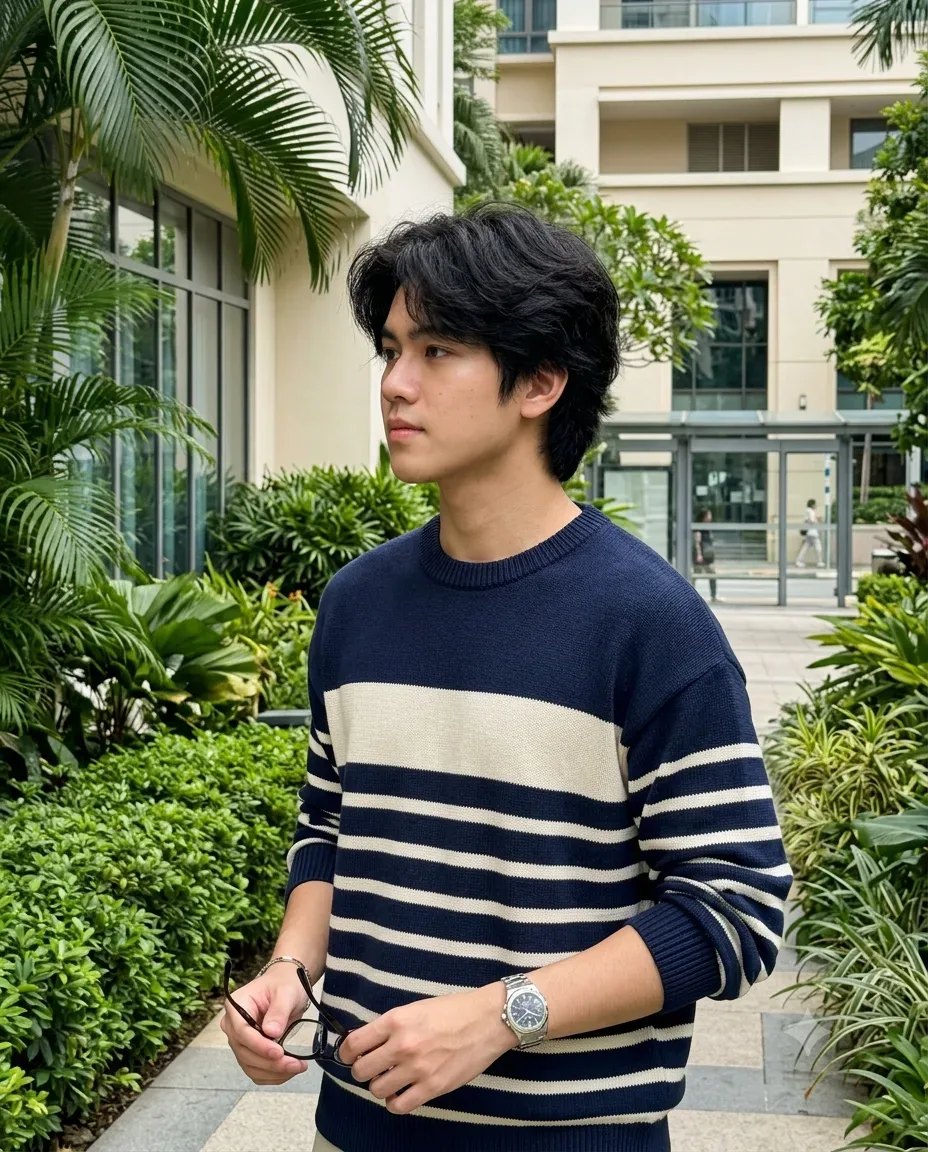
Create an ultra-realistic premium outdoor lifestyle portrait of a young male standing in a sophisticated modern commercial/residential complex surrounded by lush tropical landscaping. The photograph should feel naturally candid, refined and editorial, with realistic smartphone-camera character and authentic daylight.


👤 SUBJECT

A young male with naturally thick, voluminous medium-length dark black hair, softly tousled with layered texture and loose strands framing the forehead and sides. Natural youthful facial features, realistic skin texture, naturally shaped eyebrows, subtle facial details and a calm, thoughtful expression.

He is shown in a three-quarter profile, looking naturally toward the left side of the frame rather than directly at the camera.

👕 OUTFIT

Premium navy-blue and off-white striped knit sweater

Horizontal wide cream/white stripes across the torso

Narrower striped detailing around the sleeves

Clean ribbed crew neckline

Relaxed contemporary fit

Natural knit texture and subtle fabric folds

Minimal luxury styling


⌚ ACCESSORIES

Classic metallic wristwatch with a detailed round dial

Simple understated bracelet

Dark-framed eyeglasses held naturally in one hand

Keep accessories elegant and minimal


🧍 POSE & BODY LANGUAGE

Natural relaxed standing pose.

The subject holds his eyeglasses casually in one hand near waist level while the other arm rests naturally by his side.

Slightly turned shoulders, relaxed posture and subtle side profile create a spontaneous lifestyle-editorial feeling.

Avoid an overly posed fashion-model stance.

🌴 ENVIRONMENT

A premium landscaped urban complex featuring:

Large tropical palm leaves framing the upper-left portion

Dense manicured green shrubs

Ornamental tropical plants in the foreground

Modern cream/beige architectural building in the background

Large glass windows

Contemporary outdoor walkway

Glass-and-metal bus-stop/shelter structure in the distance

Soft architectural details

Small amount of natural background activity


Use the plants as a natural framing element around the subject.

☀️ LIGHTING

Bright but soft natural daytime light.

Subtle diffused sunlight illuminates the subject's hair and face while creating gentle highlights on the sweater and watch.

Natural soft shadows, balanced exposure and realistic ambient light. Avoid harsh studio lighting.

📷 CAMERA & COMPOSITION

Vertical 4:5 portrait

Medium/full upper-body framing

Eye-level camera angle

Three-quarter profile composition

Subject positioned slightly right of center

Tropical foliage creating foreground framing

Moderate natural depth of field

Background gently softened

Realistic smartphone photography

High-resolution photographic detail

Natural lens characteristics

Authentic skin and hair texture

Subtle depth and dimensionality


🎨 COLOR GRADING

Elegant natural color palette:

deep navy + ivory white + lush tropical green + warm beige + soft sky blue

Clean daylight color grading with slightly muted cinematic contrast. Preserve natural skin tones and realistic greens without excessive saturation.

✨ UNIQUE STYLE

Tropical luxury lifestyle • modern architecture • refined casual fashion • editorial portraiture • natural daylight • sophisticated urban greenery • effortless elegance • candid profile photography • premium realism

🚫 NEGATIVE PROMPT

> cartoon, anime, illustration, CGI, 3D render, artificial face, plastic skin, excessive skin smoothing, beauty filter, distorted face, bad anatomy, malformed hands, extra fingers, missing fingers, duplicate limbs, distorted eyeglasses, warped watch, unrealistic sweater texture, artificial hair, excessive sharpening, oversaturated green, neon colors, extreme HDR, harsh shadows, blown highlights, fake bokeh, unrealistic plants, distorted architecture, warped background, low resolution, blurry face, AI artifacts, watermark, random text, logo

Optical Identity & Likeness Preservation: Lock subject's authentic facial identity and natural posture while seamlessly integrating with sharp vehicle reflections and cinematic ambient lighting.👤Customize in Face Consistency Studio
Lock 100% exact facial identity, bone structure & eye shape in Gemini & Bing.
Technical Prompt Parameters (Cyberpunk, 3D Avatar & Anime)
| Parameter | Configuration | Output Impact |
|---|---|---|
| Target AI Engine | Midjourney Niji 6 / Flux.1 Schnell / Bing Image Creator | Specialized prompt weights for volumetric rendering, cell-shading, and neon emission. |
| Recommended Aspect Ratio | 9:16 (Phone Wallpaper) or 16:9 (Desktop Ultra-Wide) | Ideal for custom gaming wallpapers, Discord avatars, and futuristic phone lock screens. |
| Camera & Lens Settings | Octane 3D Render, Raytraced Global Illumination, 35mm virtual lens | Simulates volumetric atmospheric smoke, holographic reflections, and crisp polygonal precision. |
| Lighting Style | Dual-tone neon split lighting (electric cyan key + magenta rim light) | Produces dynamic sci-fi contrast with vibrant edge glows and deep blacks. |
| Negative Constraints | low-poly flaws, blurry textures, realistic photographic noise, dull matte lighting | Ensures sharp vector/render lines, vivid luminous glow, and zero muddy compression. |
| Reference Photo | Upload a clear face photo; prompt transforms human proportions into stylized avatar art. | Upload front-facing reference photo for face matching. |
How to use this prompt
- Copy the prompt, open Google Gemini or Bing Image Creator, attach your reference photo, and generate instant 8K results.
How to get better results from Tropical Urban Elegance AI Photo Prompt
Free 1-click copy tropical urban elegance ai photo prompt for Google Gemini and Bing Image Creator. Authentic photography aesthetic, realistic lighting, and instant camera settings. Use it as a copy-ready starting point, then adjust the subject, scene, tone and output format for your own result.
- Photography
- Ai Image
- Trending
- Viral Prompt
- Gemini Ai
- Bing Image Creator
Customize before generating
- Replace the main subject, name, product or character details.
- Adjust lighting, background, mood, camera angle or aspect ratio if the prompt is visual.
- Change tone, audience, language and output format if the prompt is for text.
- Keep this core idea clear: Create an ultra-realistic premium outdoor lifestyle portrait of a young male standing in a sophisticated modern commercial/residential complex surrounded by lush...
Quick variations to try
- Make Tropical Urban Elegance AI Photo Prompt more cinematic with stronger lighting and richer background detail.
- Turn Tropical Urban Elegance AI Photo Prompt into a cleaner mobile-first version for social media posts or profile use.
- Create a premium version of Tropical Urban Elegance AI Photo Prompt with sharper style, higher detail and a more polished final output.