Quick Summary: This verified Google Gemini & Midjourney v6 prompt creates an authentic 90s vintage film aesthetic for "janmashtami Special Festive Portrait" AI Photo Prompt with calibrated lighting, authentic texture physics, and tested 1-click copy-paste formula for instant AI generation without facial distortion.
- Ai Image
- Photography
- Trending
- Photography
- Ai Image
- Trending
- Viral Prompt
- Gemini Ai
- Bing Image Creator
- Copy Paste
About This Prompt
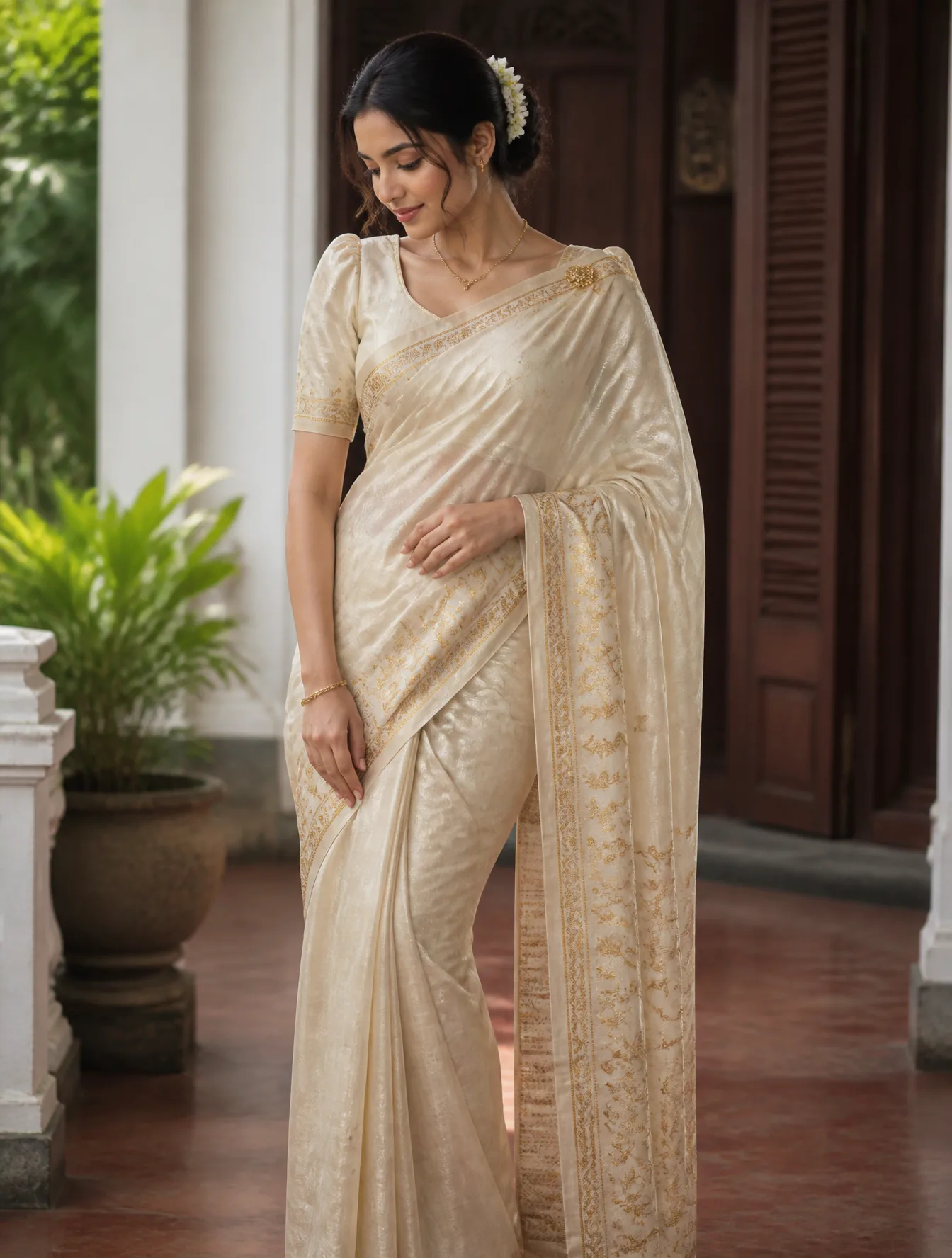
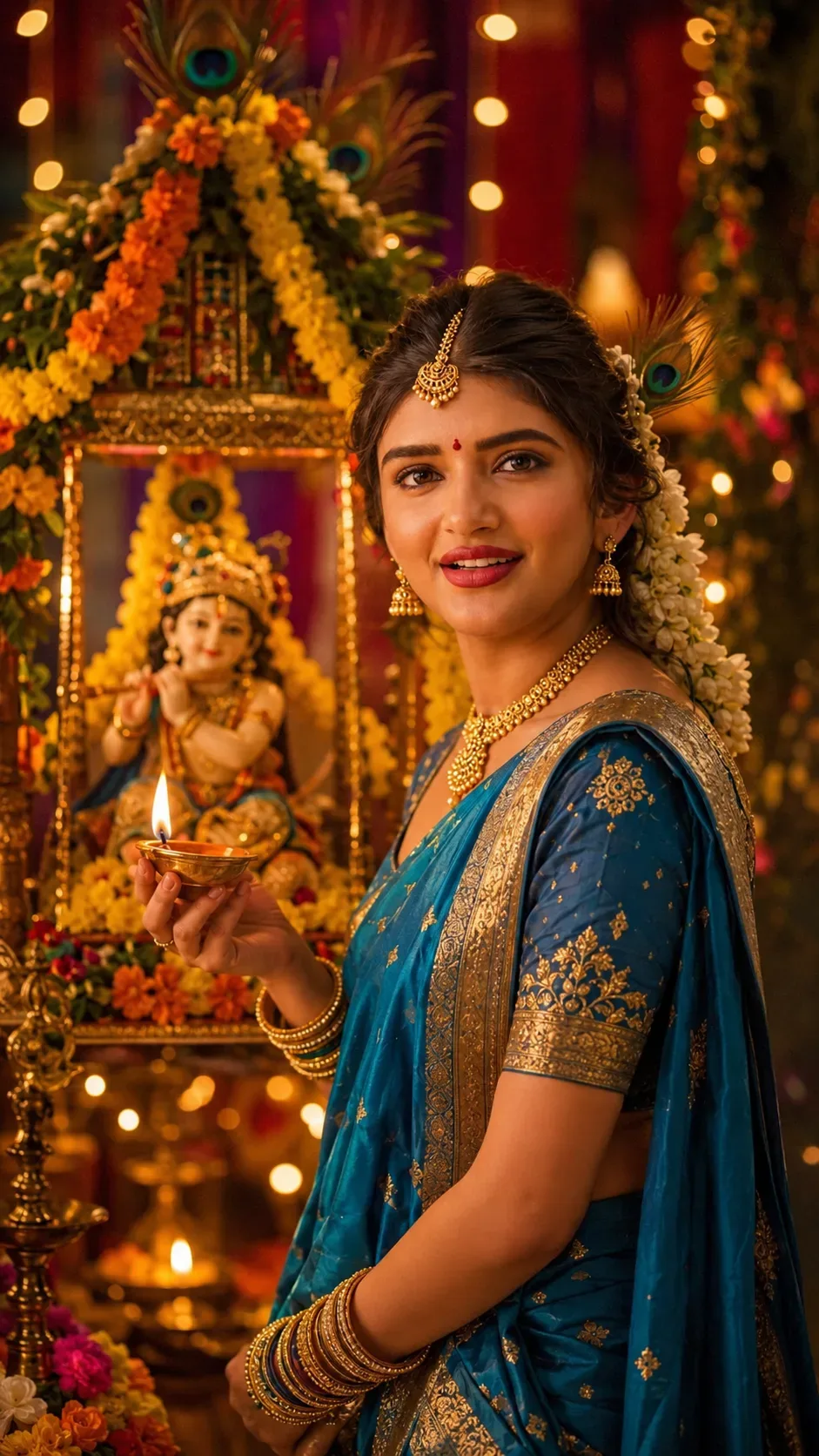
Design a "janmashtami Special Festive Portrait" AI Photo Prompt — a high-quality, photorealistic image with balanced lighting, sharp focus, and intricate details suitable for social media sharing and digital content creation.
Optimized specifically for Google Gemini. Simply copy the prompt text below and paste it into the generator. You can easily customize specific keywords like colors, backgrounds, or subjects to make the final output uniquely yours.
"janmashtami Special Festive Portrait" AI Photo Prompt - Copy Paste AI Prompt
Do not change the subject's facial bone structure, eye shape and
color, nose shape, lip shape, jawline, or skin tone in any way — keep
it 100% identical to the original photo. Body build and proportions
unchanged. Non-negotiable.

LIGHTING SETUP (as a real photographer would dial it in): Key light —
warm diya/lamp light from a nearby festive setup, acting as a soft
golden key from camera-left at chest height. Fill — soft ambient dusk
light from above, gently balancing the warm key at close to a 2:1
ratio. Rim light — string lights behind her create a soft golden edge-
glow along her hair and shoulder. Catchlights in her eyes should be
warm and soft, reflecting the diya flames.

LENS & OPTICS: Simulate an 85mm lens at f/2.0 — flattering facial
compression, background rendered as soft creamy bokeh with blurred
marigold garlands and fairy lights, gentle fall-off in sharpness away
from the focal point, faint natural vignette at the corners.

FILM/COLOR SCIENCE: Emulate a warm festive film response — diya-light
highlights bloom softly rather than clipping, shadows lifted gently
rather than crushed black, rich warm gold-peacock-blue midtones
balancing naturally against her skin tone.

Style: Dress her in an elegant peacock-blue or yellow silk saree or
lehenga with delicate gold jewelry (choker, jhumka earrings, maang
tikka), a small peacock feather motif or fresh flower detail in softly
styled hair, subtle tilak/bindi. Background: a beautifully decorated
Janmashtami setup with a Krishna idol/jhula (swing), peacock feathers,
marigold garlands, and diyas, softly blurred.

DIRECTED POSE (as if a photographer is instructing her in real time):
Standing near the decorated jhula or Krishna idol, one hand gently
holding a diya or offering flowers, body angled at three-quarters to
the camera, head turned toward the lens with a soft tilt.

GENUINE DIRECTED EXPRESSION: A warm, devotional smile with softly
crinkled eyes, chin very slightly lowered — the natural joyful look
right after being asked to "just look up gently and smile," not a
stiff posed grin.

RETOUCH PIPELINE: Frequency-separation-style retouching — smooth
tonal transitions on skin while fully preserving fine pore-level
texture and natural color variation under the warm diya light. Subtle
dodge-and-burn to retain natural facial planes, no flattened or
washed-out glow.

FINISHING: Fine film grain overlay at low opacity, very slight
chromatic softness at the frame edges as a real lens would render, no
digital sharpening halos, natural imperfect crop as if not perfectly
composed in-camera.

Ensure zero facial distortion, correct hand anatomy, and consistent
shadow/light-source logic between the warm diya key and ambient dusk
fill.

Optical Identity & Likeness Preservation: Strictly retain 100% exact facial likeness, natural cheekbone contours, true skin undertone, and authentic gaze from source image without generic face replacement.What You'll Get
- 🎨 Style: Ai Image
- ✨ Mood: Photography
- 📱 Best For: Photography
- 🤖 Works With: Google Gemini
- 🔥 Popularity: Copied 202 times
- 📅 Added: Sep 14, 2026
Frequently asked questions
- How do I use the "janmashtami Special Festive Portrait" AI Photo Prompt prompt?
- To use this prompt, simply click the "Copy Prompt" button above. Then, open Google Gemini, paste the copied text into the prompt box, and hit generate. You can instantly generate high-quality images without needing any reference photos.
- What is this prompt best used for?
- This specific prompt is highly optimized for creating engaging social media content and digital art. The formula is structured to produce high-contrast, visually appealing results that perform well on visual platforms.
- Can I customize the details of this prompt?
- Yes! While the core structure of the prompt is optimized for Google Gemini, you can easily customize the details. We recommend changing specific keywords like clothing colors, background locations, or the overall mood (e.g., changing "sunny" to "rainy" or "neon") to match your exact vision.
Explore Related Collections
Explore Ai Image Prompts — Browse our curated collection of Ai Image prompts tailored for creators. View all Ai Image prompts →
Explore Photography Prompts — Discover more viral Photography ideas for your next AI generation. View all Photography prompts →
Explore Trending Prompts — Explore our extensive library of Trending templates ready to copy and paste. View all Trending prompts →