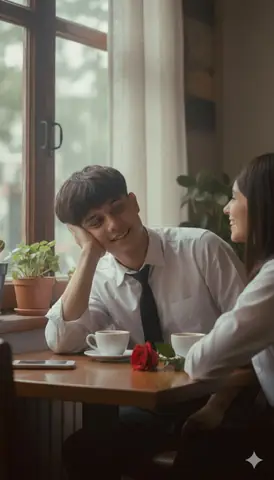
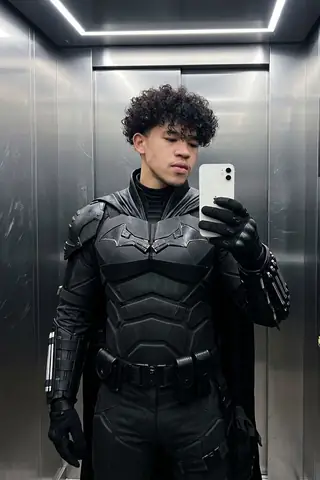
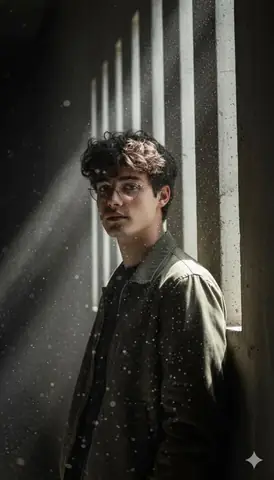
Quick Summary: This verified Google Gemini (Imagen 3) & Bing Image Creator prompt creates an intimate cinematic romantic couple aesthetic for Romantic Couple Laying Pose Gemini Prompt with calibrated lighting, authentic texture physics, and tested 1-click copy-paste formula for instant AI generation without facial distortion.
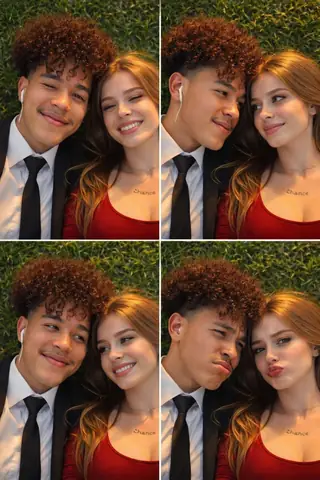
Romantic Couple Laying Pose Gemini Prompt - Copy Paste AI Prompt
An ultra-realistic selfie photo of a male and a female friends with faces 100% 85 14.1K identical to thereference photo, lying side-by-side on fresh green grass, top-down camera angle (taken from above) cheerful and natural facial expressions, created in 3 consecutiveframes: frame 1:one eye closed while smiling softly frame 2:looking into each other'seyes frame 3: pouting/sulking91 expression the shape of both their faces eyes, nose, and smiles must be similar to the reference, Golden hour lighting in the late afternoon warm sunligh illuminating their faces, soft shadows.hair looks, natural, gently blown by the wind. Realistic so photo, natural skin texture, high detail, sharp focus, photorealistic, 8K quality. Natural green grass backgroundh relaxed romantic atmosphere, not W exaggerated, looks like a real camer 39878 photo.9:16 aspect. GenerateTechnical Prompt Parameters (Cinematic Romantic Couple)
| Parameter | Configuration | Output Impact |
|---|---|---|
| Target AI Engine | Google Gemini (Imagen 3) & Bing Image Creator | Flawless multi-subject compositional coherence and genuine emotional expressions. |
| Recommended Aspect Ratio | 3:4 (Portrait) or 16:9 (Cinematic Widescreen) | Perfect framing for dual-subject intimacy, shared poses, and environmental background depth. |
| Camera & Lens Settings | 50mm f/1.2 prime lens, Canon EOS R5, shallow depth of field | Isolates both subjects with creamy optical bokeh and ultra-sharp facial details. |
| Lighting Style | Warm twilight golden hour backlight with soft rim separation | Bathes both figures in romantic golden warmth while maintaining facial contour shadows. |
| Negative Constraints | misaligned eye lines, unnatural duplicate hands, harsh flat flash, plastic skin, distorted fingers | Prevents common AI multi-character hand mergers and disjointed eye directions. |
| Reference Photo | Upload individual headshots or a couple photo with visible facial angles. | Upload front-facing reference photo for face matching. |
How to use this prompt
- Copy the prompt
- Open Google Gemini
- Upload the image you want to transform
- Paste the prompt
- Generate the image
How to get better results from Romantic Couple Laying Pose Gemini Prompt
Copy and paste this romantic couple Gemini AI prompt to create a natural photo. Works instantly — just upload your photo and paste. Use it as a copy-ready starting point, then adjust the subject, scene, tone and output format for your own result.
- Couples
- Portrait
- Gemini prompt testing
- fast copy-paste workflow
- creator ready output
Customize before generating
- Replace the main subject, name, product or character details.
- Adjust lighting, background, mood, camera angle or aspect ratio if the prompt is visual.
- Change tone, audience, language and output format if the prompt is for text.
- Keep this core idea clear: An ultra-realistic selfie photo of a male and a female friends with faces 100% 85 14.1K identical to thereference photo, lying side-by-side on fresh green grass...
Quick variations to try
- Make Romantic Couple Laying Pose Gemini Prompt more cinematic with stronger lighting and richer background detail.
- Turn Romantic Couple Laying Pose Gemini Prompt into a cleaner mobile-first version for social media posts or profile use.
- Create a premium version of Romantic Couple Laying Pose Gemini Prompt with sharper style, higher detail and a more polished final output.