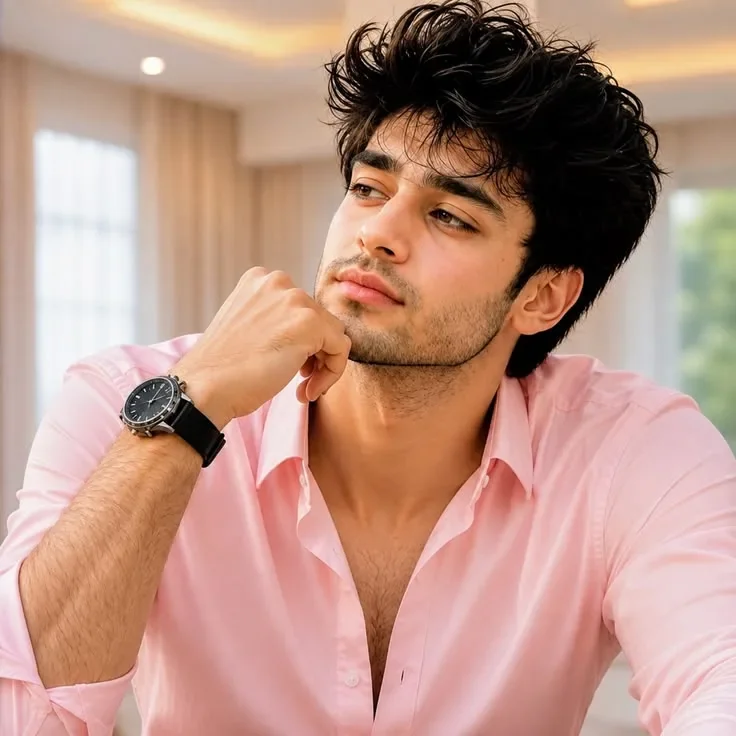
Quick Summary: This verified Google Gemini & Midjourney v6 prompt creates an authentic 90s vintage film aesthetic for Realistic Indoor Cafe Photoshoot AI Photo Prompt with calibrated lighting, authentic texture physics, and tested 1-click copy-paste formula for instant AI generation without facial distortion.
- Photography
- Ai Image
- Trending
- Photography
- Ai Image
- Trending
- Viral Prompt
- Gemini Ai
- Bing Image Creator
- Copy Paste
Realistic Indoor Cafe Photoshoot AI Photo Prompt - Copy Paste AI Prompt
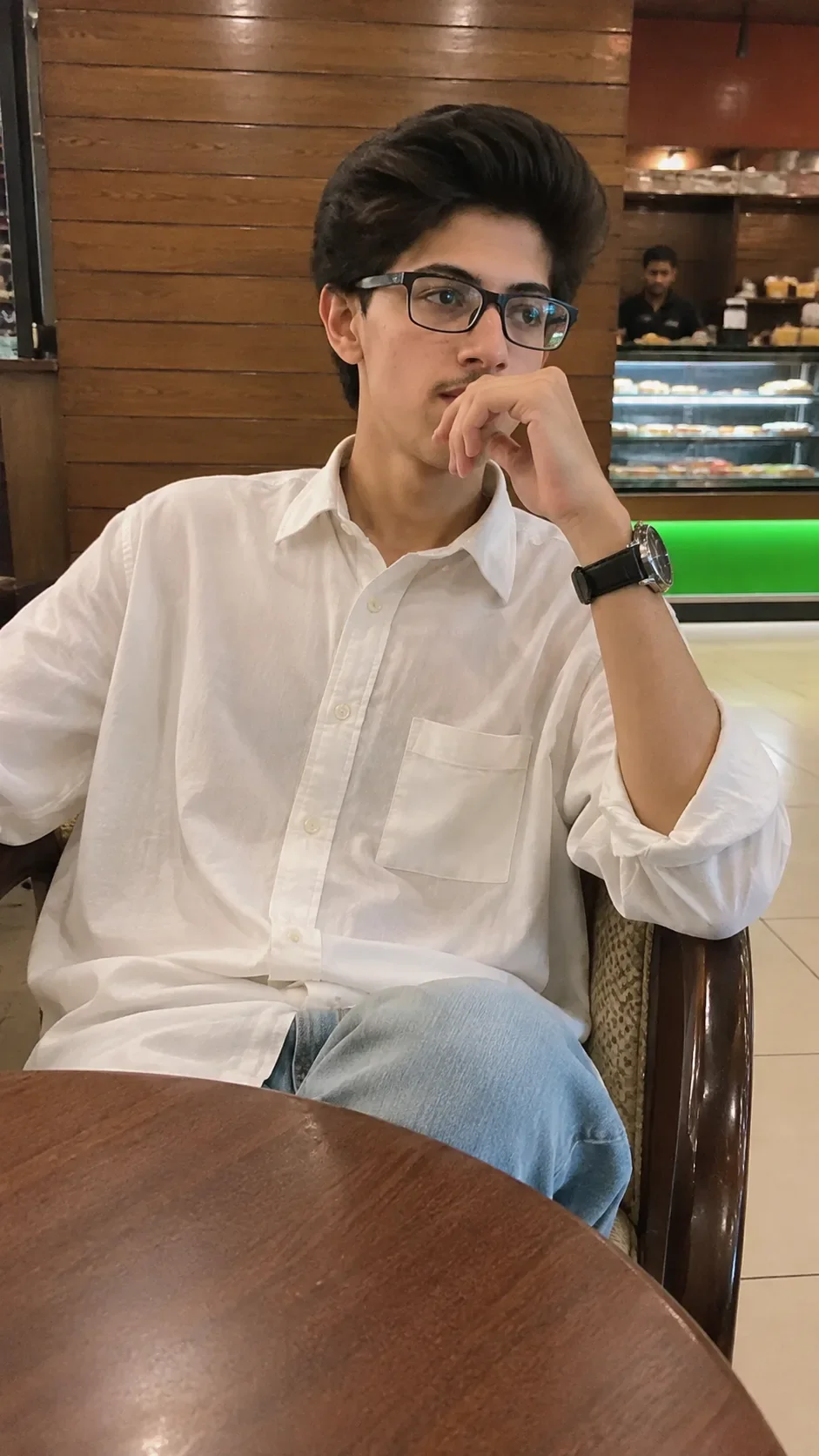
Create a highly realistic, photorealistic vertical 9:16 smartphone photograph of the person from the provided personal reference image, preserving their exact facial identity, natural facial features, hairstyle, skin tone, body proportions, and authentic appearance. Do not replace, beautify, reshape, or alter the person's identity.

The subject is seated casually on a dark brown wooden café chair at a round wooden table. The upper body is relaxed and slightly turned toward the right side of the frame. One elbow is raised, with the hand naturally resting near the mouth/chin in a thoughtful pose. The head is turned toward the right, with the gaze following the same direction. The opposite arm rests naturally near the table or lap. One leg is casually positioned forward beneath the table.

The subject wears a clean, relaxed-fit white long-sleeve button-up shirt with a classic collar, visible buttons, a left chest pocket, and natural fabric folds. The sleeves are casually rolled up around the forearms. Pair the shirt with light-wash blue denim jeans with realistic denim texture and natural creases. Add a simple dark wristwatch with a black strap on the raised wrist.

The setting is a cozy indoor café/restaurant. The background features warm medium-to-dark brown horizontal wooden wall panels with visible wood grain and seams. On the left side, include a partially visible dark-framed café opening/display area. Behind the subject, include a café staff member working near the service area. Further in the background, show a refrigerated bakery/display counter with several shelves containing pastries and food items. The display counter has subtle illuminated lighting and a noticeable green-lit section near its lower front. Include warm reddish-brown interior surfaces and a light-colored tiled floor in the lower-right background.

A large round wooden tabletop occupies the lower foreground and partially covers the subject's lower body. The chair has dark brown curved wooden arms with a light patterned upholstered seat/back.

Use the perspective of a genuine handheld smartphone photograph taken from approximately seated/table height, slightly in front of and to the left of the subject. Use a natural moderate-wide smartphone field of view and realistic conversational shooting distance. Keep the subject centered and occupying most of the frame while preserving enough background to clearly establish the café environment.

Lighting should be warm natural indoor café lighting from ceiling/interior fixtures. Use soft realistic shadows and subtle warm reflections on the wooden walls, table, skin, shirt, and surrounding surfaces. Keep the white shirt naturally white with only a slight warm ambient reflection.

Use realistic smartphone computational photography: natural exposure, authentic colors, moderate depth of field, subtle background softness, realistic optical imperfections, natural sharpness, and very subtle photographic grain. Keep the face and subject clearly focused while allowing distant background elements to become slightly softer.

Preserve authentic skin texture, visible pores, natural hair strands, realistic eyebrows and facial hair where present, realistic hands and fingers, natural joints and limb proportions, believable fabric folds, denim texture, wood grain, and physically accurate shadows.

COLOR STYLE: warm natural café tones, realistic brown wood, clean white shirt, light blue denim, subtle green display illumination, neutral skin tones. No cinematic teal-orange grading, no excessive saturation, no HDR, no crushed blacks, no artificial color cast.

The final result must look like an ordinary genuine smartphone photograph taken inside a real café—not a studio portrait, fashion editorial, CGI render, illustration, painting, or AI-generated image.

STRICT NEGATIVE PROMPT:
No random face, no identity substitution, no face alteration, no beautification, no plastic skin, no excessive skin smoothing, no body reshaping, no muscular enhancement, no slimming, no height alteration, no hairstyle replacement, no artificial facial features, no distorted hands, no extra fingers, no missing fingers, no warped limbs, no CGI, no 3D render, no illustration, no painting, no HDR, no excessive sharpening, no cinematic color grading, no excessive bokeh, no dramatic lighting, no flash, no text, no logos, no unnecessary decorations, no extra objects, no artificial-looking background.

Optical Identity & Likeness Preservation: Maintain 100% exact facial identity, bone structure, jawline contours, and natural skin undertone of reference photo without alteration or distortion.👤Customize in Face Consistency Studio
Lock 100% exact facial identity, bone structure & eye shape in Gemini & Bing.
Technical Prompt Parameters (Vintage Film & Retro Polaroid)
| Parameter | Configuration | Output Impact |
|---|---|---|
| Target AI Engine | Google Gemini & Midjourney v6 | Preserves organic analog warmth, natural color saturation, and retro lighting response. |
| Recommended Aspect Ratio | 4:5 (Classic Film) or 1:1 (Square Polaroid) | Faithful recreation of vintage paper print dimensions and nostalgic photo albums. |
| Camera & Lens Settings | 35mm Leica M6, Kodak Portra 400, f/2.8, subtle chromatic dispersion | Renders genuine analog grain, gentle halation, and authentic film stock color science. |
| Lighting Style | Direct camera flash with soft falloff or warm golden hour sunset flare | Creates natural retro exposure highlights without artificial digital gloss. |
| Negative Constraints | digital sheen, oversaturated HDR, plastic skin, neon light, CGI 3D, modern watermark | Eliminates hyper-digital smoothness to maintain true photochemical aesthetic. |
| Reference Photo | Upload a daylight selfie; avoid heavy ring-light filters for best film look. | Upload front-facing reference photo for face matching. |
How to use this prompt
- Copy the prompt, open Google Gemini or Bing Image Creator, attach your reference photo, and generate instant 8K results.
How to get better results from Realistic Indoor Cafe Photoshoot AI Photo Prompt
Free 1-click copy realistic indoor cafe photoshoot ai photo prompt for Google Gemini and Bing Image Creator. Authentic photography aesthetic, realistic lighting, and instant camera settings. Use it as a copy-ready starting point, then adjust the subject, scene, tone and output format for your own result.
- Photography
- Ai Image
- Trending
- Viral Prompt
- Gemini Ai
- Bing Image Creator
Customize before generating
- Replace the main subject, name, product or character details.
- Adjust lighting, background, mood, camera angle or aspect ratio if the prompt is visual.
- Change tone, audience, language and output format if the prompt is for text.
- Keep this core idea clear: Create a highly realistic, photorealistic vertical 9:16 smartphone photograph of the person from the provided personal reference image, preserving their exact facial...
Quick variations to try
- Make Realistic Indoor Cafe Photoshoot AI Photo Prompt more cinematic with stronger lighting and richer background detail.
- Turn Realistic Indoor Cafe Photoshoot AI Photo Prompt into a cleaner mobile-first version for social media posts or profile use.
- Create a premium version of Realistic Indoor Cafe Photoshoot AI Photo Prompt with sharper style, higher detail and a more polished final output.