Quick Summary: This verified Google Gemini & Bing Image Creator (DALL-E 3) prompt creates an rich traditional Indian cultural aesthetic for KP New Version AI Photo Prompt with calibrated lighting, authentic texture physics, and tested 1-click copy-paste formula for instant AI generation without facial distortion.
- Ai Image
- Illustration 3d
- Trending
- Illustration 3d
- Ai Image
- Trending
- Viral Prompt
- Gemini Ai
- Bing Image Creator
- Copy Paste
KP New Version AI Photo Prompt - Copy Paste AI Prompt
Kucchu–Pucchu New Version — Image Prompt

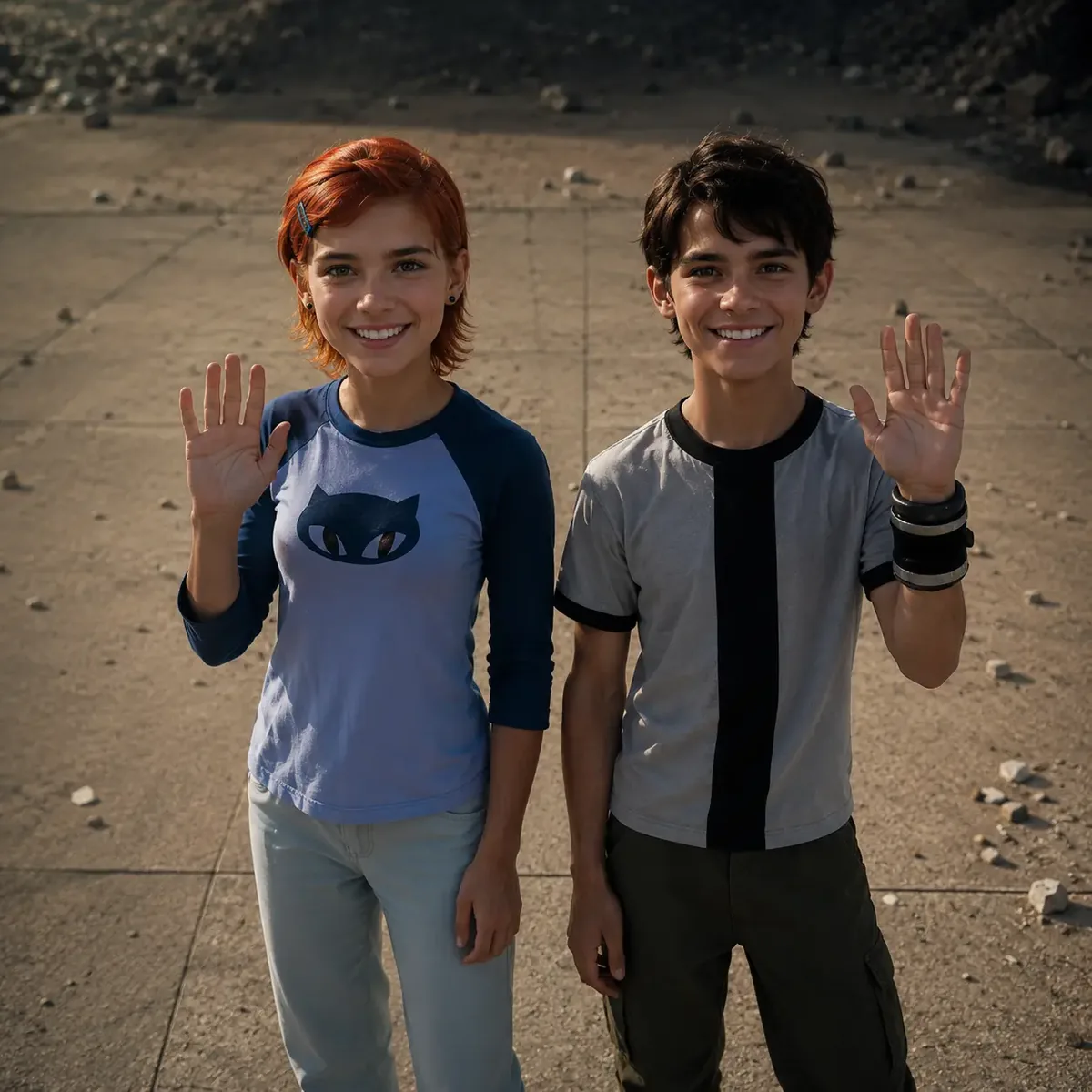
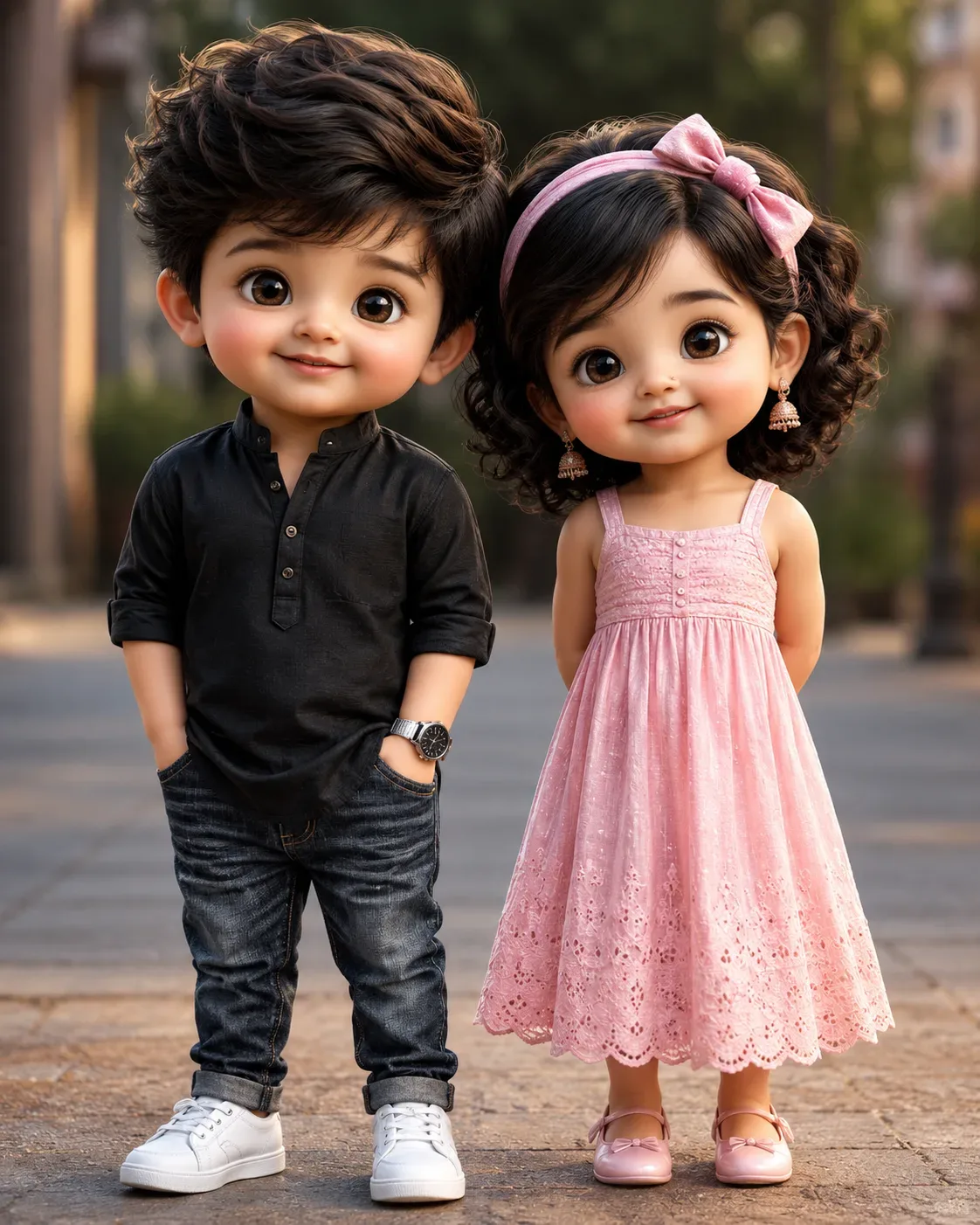
Create a high-quality ultra-realistic 3D CGI portrait of Kucchu and Pucchu, the exact same canonical “Kucchu–Pucchu New Version” characters, standing together and looking directly at the camera.

Kucchu: adorable toddler boy, cute round face, chubby cheeks, large expressive glossy brown eyes, fluffy dark-brown hair, small childlike proportions. He wears a black kurta-style shirt, dark blue jeans, white low-top sneakers, and a wristwatch. No nose ring, no earrings.

Pucchu: adorable toddler girl, cute round face, chubby cheeks, large expressive glossy brown eyes, curly dark hair with a pink headband, cute childlike proportions. She wears a beautiful soft pink dress and pink shoes, with her signature earrings and tiny nathuni.

Both characters must maintain exact facial identity, hairstyle, body proportions, skin tone, eye shape, and overall appearance throughout the image. They should look cute, innocent, premium and cinematic.

Visual style: ultra-realistic high-end 3D CGI, cinematic Pixar-inspired quality, detailed skin and hair, realistic fabric textures, glossy expressive eyes, soft natural lighting, cinematic depth of field, beautiful background bokeh, HDR, 8K quality, highly detailed, professional character render.

Composition: full-body shot, both characters standing side-by-side, Kucchu on the left and Pucchu on the right, natural cute expressions, warm cinematic atmosphere, vertical 9:16 composition, centered framing, no text, no watermark, no logo.

IMPORTANT: Keep Kucchu and Pucchu's New Version identity perfectly consistent. Do not change their faces, hairstyles, proportions or signature features.

Optical Identity & Likeness Preservation: Strictly retain 100% exact facial likeness, natural cheekbone contours, true skin undertone, and authentic gaze from source image without generic face replacement.👤Customize in Face Consistency Studio
Lock 100% exact facial identity, bone structure & eye shape in Gemini & Bing.
Technical Prompt Parameters (Traditional Ethnic Indian)
| Parameter | Configuration | Output Impact |
|---|---|---|
| Target AI Engine | Google Gemini & Bing Image Creator (DALL-E 3) | Accurately understands intricate South Asian ethnic motifs, zardozi embroidery, and festive ambiance. |
| Recommended Aspect Ratio | 9:16 (Story / Reels / DP) or 3:4 (Portrait) | Optimized for mobile festive display pictures, WhatsApp status, and Instagram reels. |
| Camera & Lens Settings | 85mm f/1.4 G-Master, Sony A7R V, 61MP ultra-high texture fidelity | Resolves micro-level silk weave, mirror embroidery, and jewelry sparkle with zero blur. |
| Lighting Style | Festive diya ambient warmth + soft golden temple architectural light | Accentuates vibrant colors (marigold, crimson, gold) while keeping skin tones natural. |
| Negative Constraints | western attire, distorted jewelry, unnatural skin bleaching, muddy colors, deformed hands | Guarantees authentic cultural attire detailing and natural Indian skin melanin realism. |
| Reference Photo | Upload a front-facing portrait wearing festive or simple ethnic attire. | Upload front-facing reference photo for face matching. |
How to use this prompt
- Copy the prompt, open Google Gemini or Bing Image Creator, attach your reference photo, and generate instant 8K results.
How to get better results from KP New Version AI Photo Prompt
Free 1-click copy kp new version ai photo prompt for Google Gemini and Bing Image Creator. Authentic illustration 3d aesthetic, realistic lighting, and instant camera settings. Use it as a copy-ready starting point, then adjust the subject, scene, tone and output format for your own result.
- Ai Image
- Illustration 3d
- Trending
- Viral Prompt
- Gemini Ai
- Bing Image Creator
Customize before generating
- Replace the main subject, name, product or character details.
- Adjust lighting, background, mood, camera angle or aspect ratio if the prompt is visual.
- Change tone, audience, language and output format if the prompt is for text.
- Keep this core idea clear: Kucchu–Pucchu New Version — Image Prompt Create a high-quality ultra-realistic 3D CGI portrait of Kucchu and Pucchu, the exact same canonical “Kucchu–Pucchu...
Quick variations to try
- Make KP New Version AI Photo Prompt more cinematic with stronger lighting and richer background detail.
- Turn KP New Version AI Photo Prompt into a cleaner mobile-first version for social media posts or profile use.
- Create a premium version of KP New Version AI Photo Prompt with sharper style, higher detail and a more polished final output.