Quick Summary: This verified Google Gemini & Midjourney v6 prompt creates an authentic 90s vintage film aesthetic for Korean Man Portrait Studio with calibrated lighting, authentic texture physics, and tested 1-click copy-paste formula for instant AI generation without facial distortion.
Korean Man Portrait Studio - Copy Paste AI Prompt
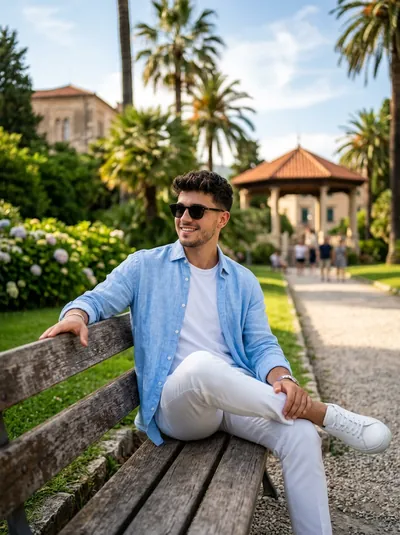
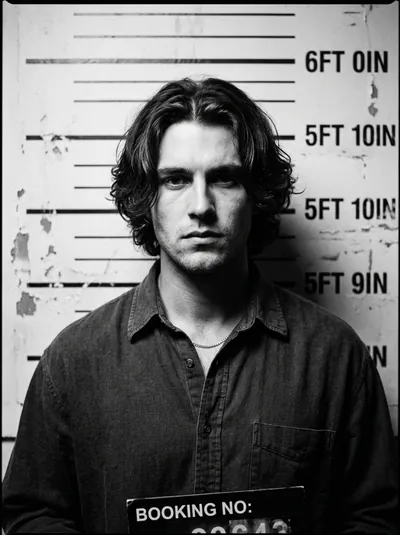
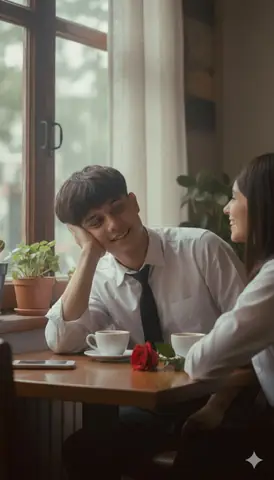
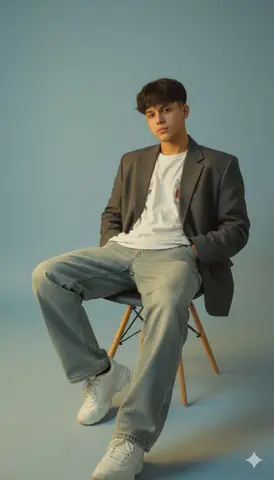
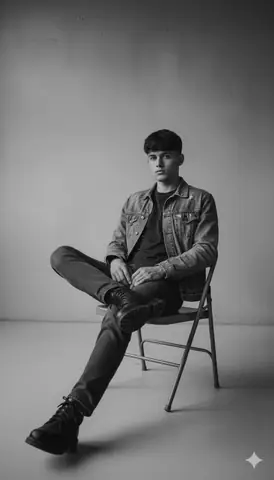
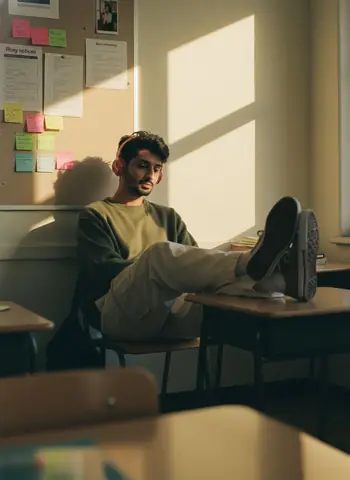
The camera is shot from a distance, with a small section of the chair's back visible in front, as if the photographer was taking the portrait discreetly or in a quiet moment. Soft, golden-yellow lighting reflects from a small window or gap in the right wall forming diagonal lines of light that fall directly on the man's face, creating a dramatic and emotional contrast. The man sits alone in a chair, his feet resting on the desk, with a relaxed and cool expression, as if lost in thought. He has messy, yet natural Korean-style Comma-style hair. He wears an versized army green Sweater, cream-colored cargo pants, Converse sneakers and red headphones. He has a bag hanging from the chair, but it blends harmoniously with the warm light surrounding him. Behind him is an off-white wall with sticky notes labeled "Rhey" notices, duty schedules, and So on, and a photo at the top. There are also a few decorations or furnishings typical of a college classroom. Reinforcing a nostalgic and contemplative feel, like a frozen noment in time. Soft golden hues of light blend with the dark shadows in the room, creating a quiet, warm, and slightly wistful atmosphere, reminiscent of a scene from a Japanese indie film at dusk or early morning. The overall atmosphere suggests an intimate, introspective moment in silence. All image lements are rendered without bokeh, with even sharpness from foreground to background. The visual texture contains noticeable noise and grain, reminiscent of the results of analog 35mm film cameras like the Canon AE-1 or retro digital simulations usiing the Fujifilm X100V with "Classic Chrome" film simulation. Possible camera settings: ISO 1600,t/5.6 aperture, 1/60s shutter speed, with a warm white balance to maintain the natural golden light in the room. The grain effect can come from 180 400 film or the digital grain feature intentionally activated to add cinematic character and nostalgia. 3:4Technical Prompt Parameters (Vintage Film & Retro Polaroid)
| Parameter | Configuration | Output Impact |
|---|---|---|
| Target AI Engine | Google Gemini & Midjourney v6 | Preserves organic analog warmth, natural color saturation, and retro lighting response. |
| Recommended Aspect Ratio | 4:5 (Classic Film) or 1:1 (Square Polaroid) | Faithful recreation of vintage paper print dimensions and nostalgic photo albums. |
| Camera & Lens Settings | 35mm Leica M6, Kodak Portra 400, f/2.8, subtle chromatic dispersion | Renders genuine analog grain, gentle halation, and authentic film stock color science. |
| Lighting Style | Direct camera flash with soft falloff or warm golden hour sunset flare | Creates natural retro exposure highlights without artificial digital gloss. |
| Negative Constraints | digital sheen, oversaturated HDR, plastic skin, neon light, CGI 3D, modern watermark | Eliminates hyper-digital smoothness to maintain true photochemical aesthetic. |
| Reference Photo | Upload a daylight selfie; avoid heavy ring-light filters for best film look. | Upload front-facing reference photo for face matching. |
How to use this prompt
- Copy prompt
- Use with AI image generator
- Generate amazing images
How to get better results from Korean Man Portrait Studio
A man sits alone in a chair, lost in thought, with warm lighting surrounding him. Use it as a copy-ready starting point, then adjust the subject, scene, tone and output format for your own result.
- Aesthetic
- Ai Image
- Boys
- Educational
- Interior
- Portrait
Customize before generating
- Replace the main subject, name, product or character details.
- Adjust lighting, background, mood, camera angle or aspect ratio if the prompt is visual.
- Change tone, audience, language and output format if the prompt is for text.
- Keep this core idea clear: The camera is shot from a distance, with a small section of the chair's back visible in front, as if the photographer was taking the portrait discreetly or in a quiet...
Quick variations to try
- Make Korean Man Portrait Studio more cinematic with stronger lighting and richer background detail.
- Turn Korean Man Portrait Studio into a cleaner mobile-first version for social media posts or profile use.
- Create a premium version of Korean Man Portrait Studio with sharper style, higher detail and a more polished final output.