Quick Summary: This verified Google Gemini & Midjourney v6 prompt creates an authentic 90s vintage film aesthetic for Monumental Milan Cathedral AI Photo Prompt with calibrated lighting, authentic texture physics, and tested 1-click copy-paste formula for instant AI generation without facial distortion.
- Photography
- Ai Image
- Trending
- Photography
- Ai Image
- Trending
- Viral Prompt
- Gemini Ai
- Bing Image Creator
- Copy Paste
About This Prompt
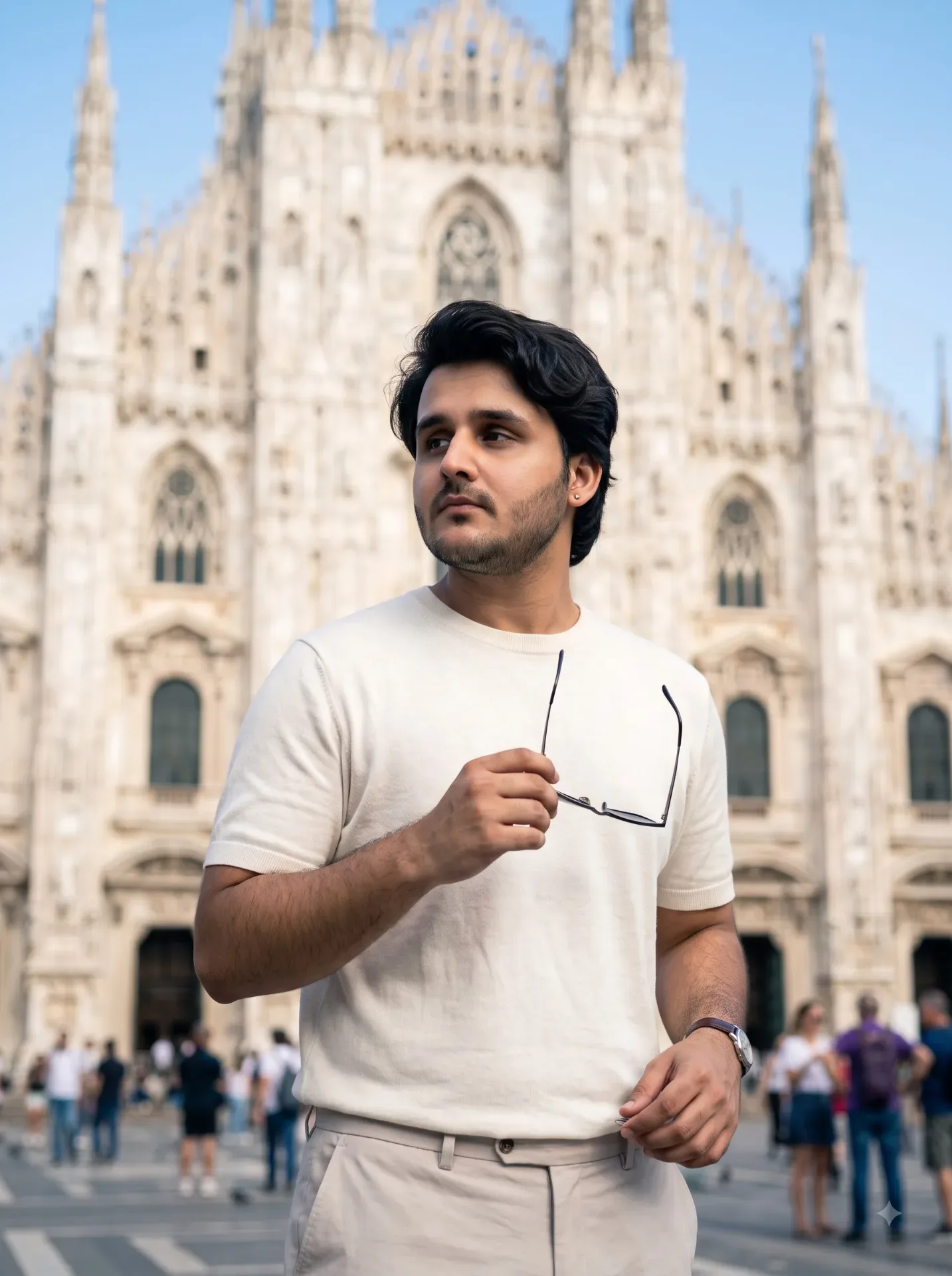
Create a Monumental Milan Cathedral AI Photo Prompt — a high-quality, photorealistic image with balanced lighting, sharp focus, and intricate details suitable for social media sharing and digital content creation.
Optimized specifically for Google Gemini. Simply copy the prompt text below and paste it into the generator. You can easily customize specific keywords like colors, backgrounds, or subjects to make the final output uniquely yours.
Monumental Milan Cathedral AI Photo Prompt - Copy Paste AI Prompt
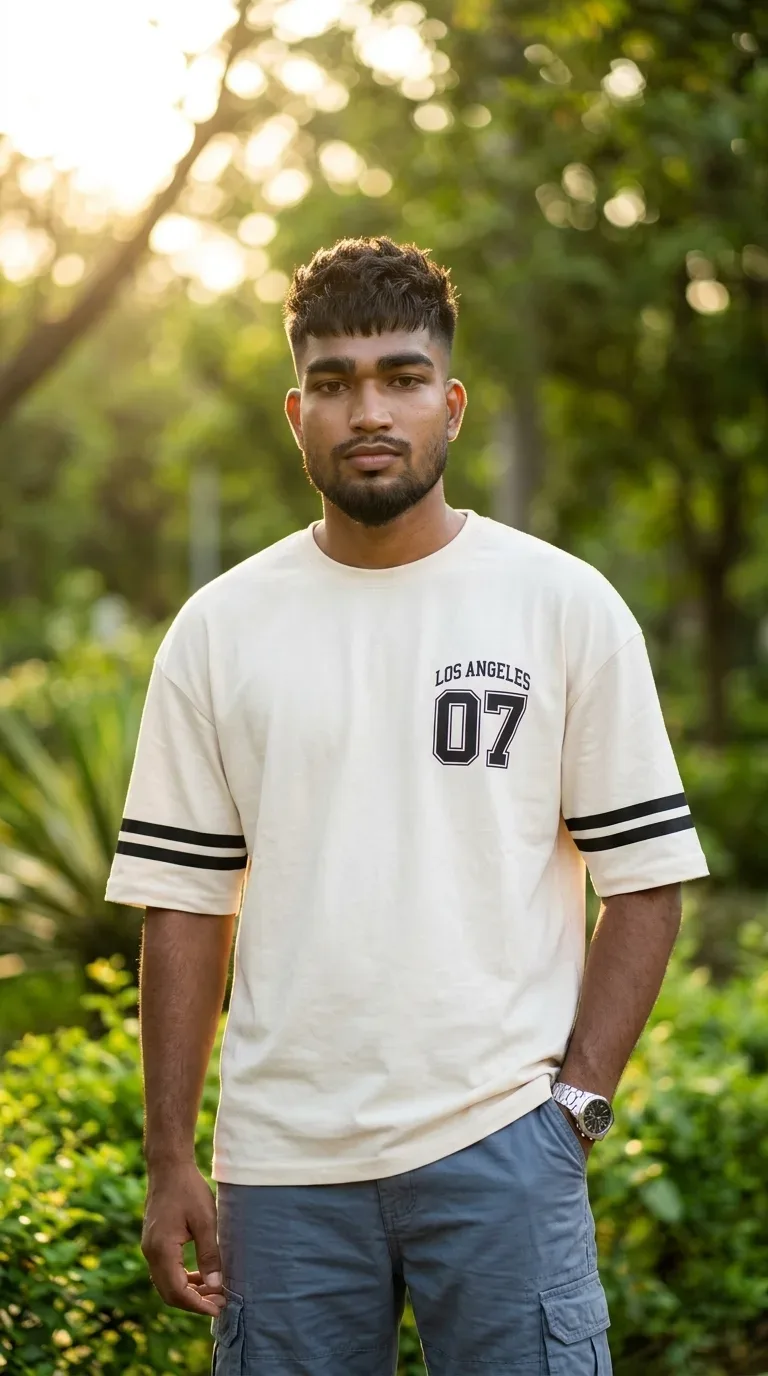
"Create a vertical 4:5 ultra-photorealistic cinematic travel-fashion T-shirt of a stylish young man standing in the lower-middle foreground, photographed head-up from the upper thighs upward. His body is angled slightly toward camera-left, while his head turns farther left as he gazes calmly into the distance with a relaxed, thoughtful, confident expression. Keep his face clean-shaven and with extremely subtle natural texture. Preserve realistic masculine facial proportions and natural skin texture. Dress him in a minimalist ivory/off-white textured short-sleeve knit T-shirt, slightly relaxed-in-fit, paired with light neutral trousers. Keep the white understated, sophisticated, and Mediterranean-inspired. In his raised right hand, he loosely holds a pair of thin-framed dark sunglasses on one temple, positioned around chest/shoulder height as though he has just removed them. His other hand rests naturally near his waist. Behind him, show the monumental Milan cathedral, recognizable through its elaborate white Gothic marble façade, countless sculptural details, soaring pinnacles, spires, and ornate architecture. Keep the cathedral deliberately soft and slightly out of focus, while retaining enough structure to make the location visually impressive. Include a small number of pedestrians and tourists crossing the plaza in the distant lower background. Render them naturally blurred and unobtrusive so the subject remains dominant. Use a large amount of clean pale-blue sky and negative space above the cathedral, giving the composition an airy, premium editorial feeling. Shoot from a slightly low camera position, creating subtle heroic presence while allowing the cathedral’s spires to rise dramatically behind the subject. Use approximately 50mm full-frame lens look, f/2.8, with sharp focus on the man’s eyes, face, hair, clothing, hands, and sunglasses while producing gentle cinematic separation in the architecture and pedestrians. Use a subtle soft natural daylight, slightly warm skin tones, muted cream architectural tones, subtle blue sky, delicate highlights, realistic shadows, restrained contrast, and sophisticated cinematic color grading. The photograph should have a subtle analog film-grain aesthetic: fine organic film grain, slightly softened highlights, natural tonal roll-off, understated colors, mild atmospheric haze, and authentic photographic texture without looking artificially vintage. Composition: subject slightly below center; perspective filling most of the middle background; generous sky occupying the upper portion; natural and cinematic without any cropped head or hands; sunglasses clearly visible; architecture centered loosely behind the subject. Visual-style: ultra-photorealistic European summer lifestyle editorial, Milan street-style editorial, quilt-luxury menswear campaign, cinematic travel portrait, candid fashion photography, natural skin pores, realistic hair, premium detailed knit fabric, authentic Gothic architecture, shallow depth of field, subtle film grain, stainless magazine photography, sophisticated minimalist aesthetic, realistic full-frame photography, hyper-detailed, 8K quality. Avoid: distorted face, artificial beauty retouching, plastic skin, malformed hands, extra fingers, duplicated sunglasses, sunglasses worn on the face, distorted cathedral architecture, fake-looking spires, excessive tourists, modern distracting signage, oversaturated colors, extreme HDR, excessive background blur, artificial CGI appearance, illustration, cartoon styling, typography, logos, signatures, or watermark. Final output: vertical 4:5 aspect ratio."

Optical Identity & Likeness Preservation: Lock subject's authentic facial identity and natural posture while seamlessly integrating with sharp vehicle reflections and cinematic ambient lighting.What You'll Get
- 🎨 Style: Photography
- ✨ Mood: Photography
- 📱 Best For: Ai Image
- 🤖 Works With: Google Gemini
- 🔥 Popularity: Copied 9 times
- 📅 Added: Sep 14, 2026
Frequently asked questions
- How do I use the Monumental Milan Cathedral AI Photo Prompt prompt?
- To use this prompt, simply click the "Copy Prompt" button above. Then, open Google Gemini, paste the copied text into the prompt box, and hit generate. You can instantly generate high-quality images without needing any reference photos.
- What is this prompt best used for?
- This specific prompt is highly optimized for creating engaging social media content and digital art. The formula is structured to produce high-contrast, visually appealing results that perform well on visual platforms.
- Can I customize the details of this prompt?
- Yes! While the core structure of the prompt is optimized for Google Gemini, you can easily customize the details. We recommend changing specific keywords like clothing colors, background locations, or the overall mood (e.g., changing "sunny" to "rainy" or "neon") to match your exact vision.
Explore Related Collections
Explore Photography Prompts — Browse our curated collection of Photography prompts tailored for creators. View all Photography prompts →
Explore Ai Image Prompts — Discover more viral Ai Image ideas for your next AI generation. View all Ai Image prompts →
Explore Trending Prompts — Explore our extensive library of Trending templates ready to copy and paste. View all Trending prompts →