Quick Summary: This verified Google Gemini & Midjourney v6 prompt creates an authentic 90s vintage film aesthetic for OWN THE STREETS AI Photo Prompt with calibrated lighting, authentic texture physics, and tested 1-click copy-paste formula for instant AI generation without facial distortion.
- Social Media
- Ai Image
- Trending
- Social Media
- Ai Image
- Trending
- Viral Prompt
- Gemini Ai
- Bing Image Creator
- Copy Paste
OWN THE STREETS AI Photo Prompt - Copy Paste AI Prompt
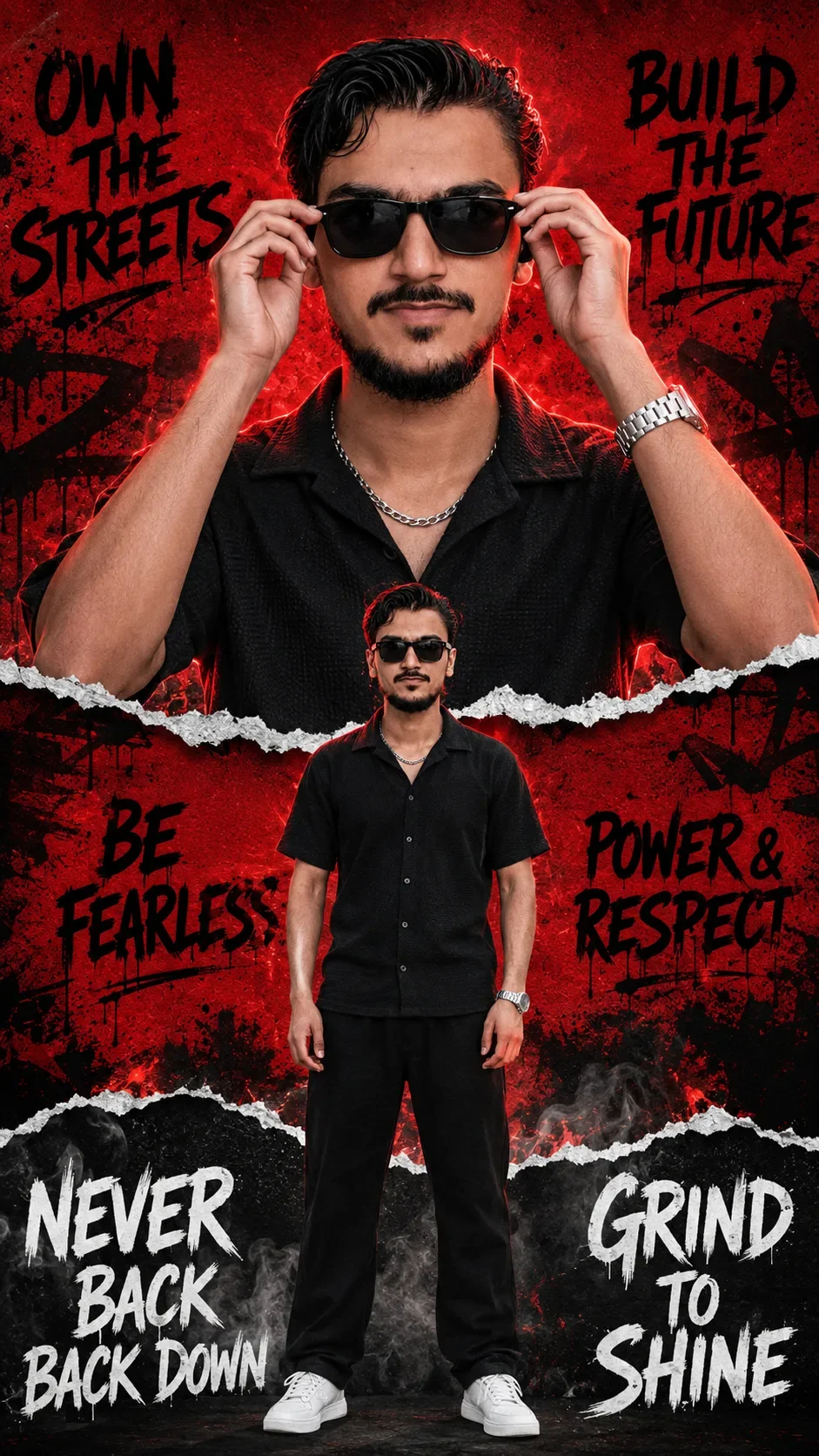
Create an ultra-realistic cinematic editorial street-fashion motivational poster in a STRICT 9:16 VERTICAL composition, closely matching the provided reference image in overall layout, framing, visual hierarchy, proportions, color palette, torn-paper collage design, character placement, lighting and typography arrangement.

IMPORTANT — CHARACTER REFERENCE:
Use the uploaded character/person image as the EXACT identity and appearance reference. Preserve the person's real facial identity, face shape, skin tone, hairstyle, hairline, eyebrows, eyes, nose, lips, ears, facial proportions, body proportions and natural appearance. Do NOT beautify, redesign, replace, age, de-age or modify the identity.

The character must remain visually consistent throughout the entire poster.

OVERALL DESIGN:
A premium cinematic urban streetwear motivational poster with a powerful RED + BLACK + WHITE color palette.

The entire poster is constructed like a layered ripped-paper collage:
- vivid deep crimson red paper background
- large black graffiti artwork and abstract street-art markings
- multiple irregular horizontal torn-paper edges
- realistic white paper fibers along every ripped edge
- black shadow layers behind the torn paper
- subtle paper texture and grain
- smoky atmospheric areas
- gritty urban editorial aesthetic
- high contrast
- dramatic studio lighting
- premium fashion campaign appearance
- realistic photographic details
- ultra-sharp 4K quality

TOP SECTION:
The upper portion contains a HUGE close-up portrait of the character.

Frame the character from approximately chest/shoulder level upward.

The character is positioned exactly in the center.

He is wearing:
- black textured short-sleeve shirt
- black sunglasses with thick rectangular frames
- metallic chain around the neck
- metallic wristwatch

Pose:
Both hands are raised toward the sunglasses, with the fingers naturally gripping the sides of the sunglasses as if adjusting them.

Expression:
calm, confident, serious, fearless, powerful street-style expression.

Lighting:
strong cinematic red rim light from the sides and behind the head,
subtle warm skin illumination from the front,
deep shadows,
high contrast,
realistic skin texture,
realistic hair strands,
professional fashion photography lighting.

The sunglasses should be glossy black with realistic reflections.

TOP LEFT TYPOGRAPHY:
Place bold hand-painted black graffiti/brush typography on the red background:

"OWN
THE
STREETS"

The text should be stacked vertically in approximately the same area as the reference image, slightly irregular, rough brush lettering.

TOP RIGHT TYPOGRAPHY:
Place:

"BUILD
THE
FUTURE"

Use the same rough black hand-painted graffiti/brush typography style.

MIDDLE TORN-PAPER SECTION:
Create a large horizontal ripped-paper transition across the poster.

Behind and around the character, continue the red background with black graffiti artwork.

CENTER CHARACTER:
Place a FULL-BODY version of the exact same character in the middle-lower section.

The full-body character must appear standing straight and confidently.

He is wearing:
- black short-sleeve button-up shirt
- black loose-fit pants
- white low-top sneakers
- black sunglasses
- metallic chain
- metallic wristwatch

Keep the clothing realistic, natural and proportionally accurate.

Pose:
standing confidently with arms relaxed naturally beside the body,
slightly powerful fashion-model stance,
feet naturally separated,
looking directly toward the camera.

The full-body character should be smaller than the giant portrait above, creating a layered double-character poster effect.

Do NOT change the character's face or hairstyle between the large portrait and full-body version.

MIDDLE-LEFT TEXT:
Place black hand-painted motivational typography:

"BE
FEARLESS"

approximately on the left side of the full-body character.

MIDDLE-RIGHT TEXT:
Place:

"POWER &
RESPECT"

approximately on the right side of the full-body character.

BOTTOM SECTION:
Create another irregular horizontal ripped-paper transition.

The bottom background becomes predominantly dark charcoal/black with realistic smoky fog.

Add subtle red highlights and gritty urban texture.

Place the full-body character standing on a dark studio/urban floor with a subtle realistic shadow beneath his shoes.

BOTTOM LEFT TEXT:
Use large white rough brush typography:

"NEVER
BACK
BACK DOWN"

Place it in the lower-left area.

BOTTOM RIGHT TEXT:
Use large white rough brush typography:

"GRIND
TO
SHINE"

Place it in the lower-right area.

TEXT STYLE:
All typography must look hand-painted and slightly imperfect, like real street graffiti / motivational brush lettering.

Do not use clean corporate fonts.
Do not use futuristic fonts.
Do not use 3D text.

Use:
- rough brush edges
- hand-painted texture
- slightly irregular letter shapes
- bold heavy strokes
- realistic ink/paint texture

COMPOSITION:
Strict portrait 9:16.
Keep the giant close-up face in the upper half.
Keep the smaller full-body character centered vertically.
Maintain clear separation between the three horizontal collage layers.
Preserve the asymmetric torn-paper edges.
Keep typography around the character without covering important facial features.

COLOR GRADING:
Dominant colors:
deep crimson red,
pure/dark black,
white,
dark charcoal,
natural skin tones.

Strong cinematic contrast.
Rich blacks.
Saturated red.
Subtle film grain.
Premium editorial color grading.
Dramatic red rim lighting.

REALISM:
Ultra-realistic photography.
Photorealistic skin.
Natural pores.
Individual hair strands.
Realistic fabric texture.
Realistic sunglasses reflections.
Realistic metallic watch and chain.
Realistic shadows.
Natural anatomy.
Accurate hands and fingers.
Professional DSLR fashion photography.
Cinematic depth.
High dynamic range.
Ultra-detailed 4K/8K appearance.

IMPORTANT:
Recreate the reference image's visual structure and composition as closely as possible.
Do not add unrelated objects.
Do not change the poster's overall red-black-white aesthetic.
Do not change the character identity.
Do not change the relative size of the giant portrait and full-body character.
Do not change the torn-paper collage concept.
Do not randomly move the typography.
Do not crop the full-body character.
Keep the complete poster in a strict 9:16 vertical frame.

OUTPUT:
9:16 vertical,
ultra-realistic,
cinematic,
premium streetwear editorial poster,
high detail,
sharp focus,
photorealistic,
4K quality.

Optical Identity & Likeness Preservation: Maintain 100% exact facial identity, bone structure, jawline contours, and natural skin undertone of reference photo without alteration or distortion.👤Customize in Face Consistency Studio
Lock 100% exact facial identity, bone structure & eye shape in Gemini & Bing.
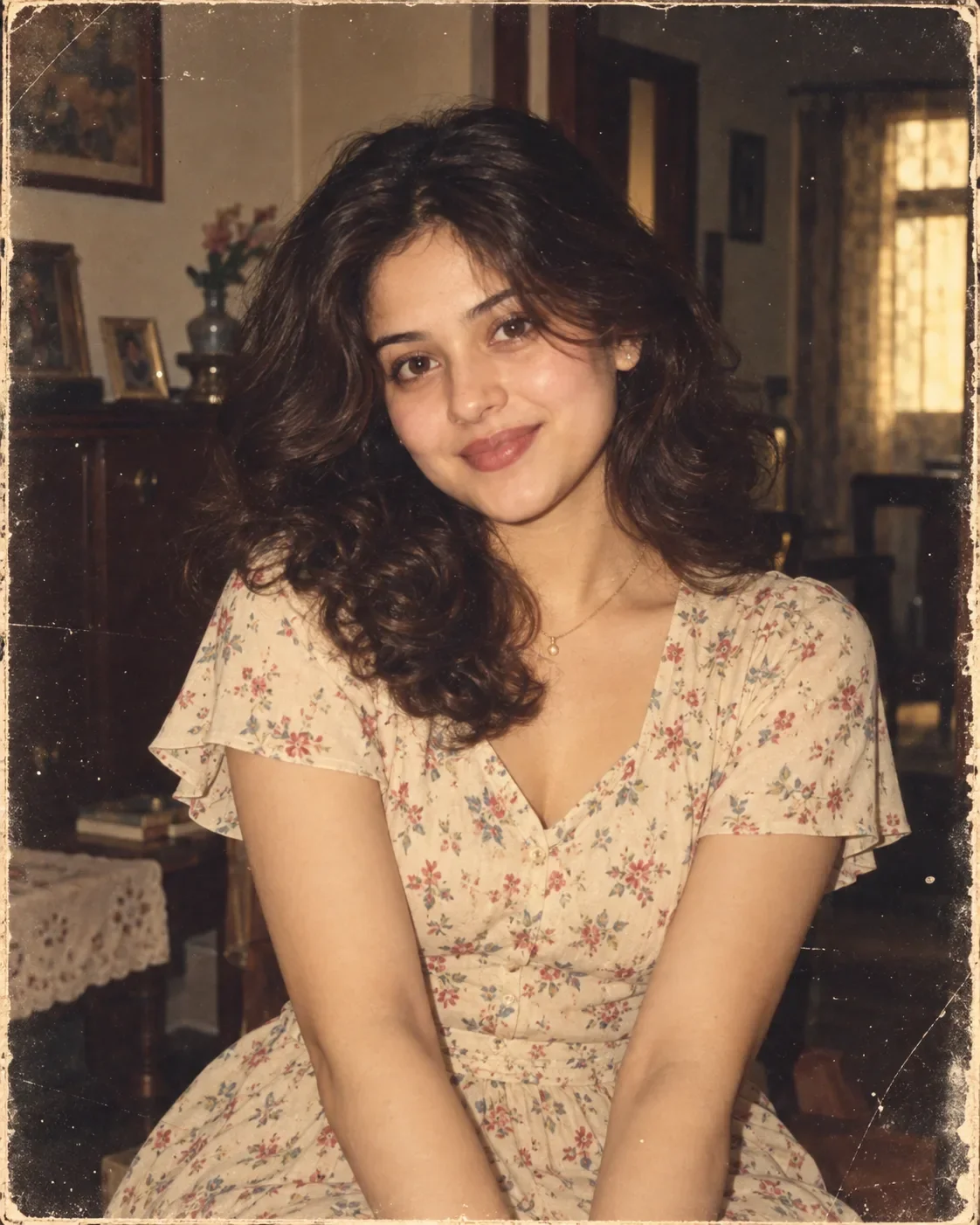
Technical Prompt Parameters (Vintage Film & Retro Polaroid)
| Parameter | Configuration | Output Impact |
|---|---|---|
| Target AI Engine | Google Gemini & Midjourney v6 | Preserves organic analog warmth, natural color saturation, and retro lighting response. |
| Recommended Aspect Ratio | 4:5 (Classic Film) or 1:1 (Square Polaroid) | Faithful recreation of vintage paper print dimensions and nostalgic photo albums. |
| Camera & Lens Settings | 35mm Leica M6, Kodak Portra 400, f/2.8, subtle chromatic dispersion | Renders genuine analog grain, gentle halation, and authentic film stock color science. |
| Lighting Style | Direct camera flash with soft falloff or warm golden hour sunset flare | Creates natural retro exposure highlights without artificial digital gloss. |
| Negative Constraints | digital sheen, oversaturated HDR, plastic skin, neon light, CGI 3D, modern watermark | Eliminates hyper-digital smoothness to maintain true photochemical aesthetic. |
| Reference Photo | Upload a daylight selfie; avoid heavy ring-light filters for best film look. | Upload front-facing reference photo for face matching. |
How to use this prompt
- Copy the prompt, open Google Gemini or Bing Image Creator, attach your reference photo, and generate instant 8K results.
How to get better results from OWN THE STREETS AI Photo Prompt
Free 1-click copy own the streets ai photo prompt for Google Gemini and Bing Image Creator. Authentic social media aesthetic, realistic lighting, and instant camera settings. Use it as a copy-ready starting point, then adjust the subject, scene, tone and output format for your own result.
- Social Media
- Ai Image
- Trending
- Viral Prompt
- Gemini Ai
- Bing Image Creator
Customize before generating
- Replace the main subject, name, product or character details.
- Adjust lighting, background, mood, camera angle or aspect ratio if the prompt is visual.
- Change tone, audience, language and output format if the prompt is for text.
- Keep this core idea clear: Create an ultra-realistic cinematic editorial street-fashion motivational poster in a STRICT 9:16 VERTICAL composition, closely matching the provided reference image...
Quick variations to try
- Make OWN THE STREETS AI Photo Prompt more cinematic with stronger lighting and richer background detail.
- Turn OWN THE STREETS AI Photo Prompt into a cleaner mobile-first version for social media posts or profile use.
- Create a premium version of OWN THE STREETS AI Photo Prompt with sharper style, higher detail and a more polished final output.