Quick Summary: This verified Google Gemini (Imagen 3) & Bing Image Creator prompt creates an intimate cinematic romantic couple aesthetic for Colosseum In Rome AI Photo Prompt with calibrated lighting, authentic texture physics, and tested 1-click copy-paste formula for instant AI generation without facial distortion.
- Photography
- Ai Image
- Trending
- Photography
- Ai Image
- Trending
- Viral Prompt
- Gemini Ai
- Bing Image Creator
- Copy Paste
About This Prompt
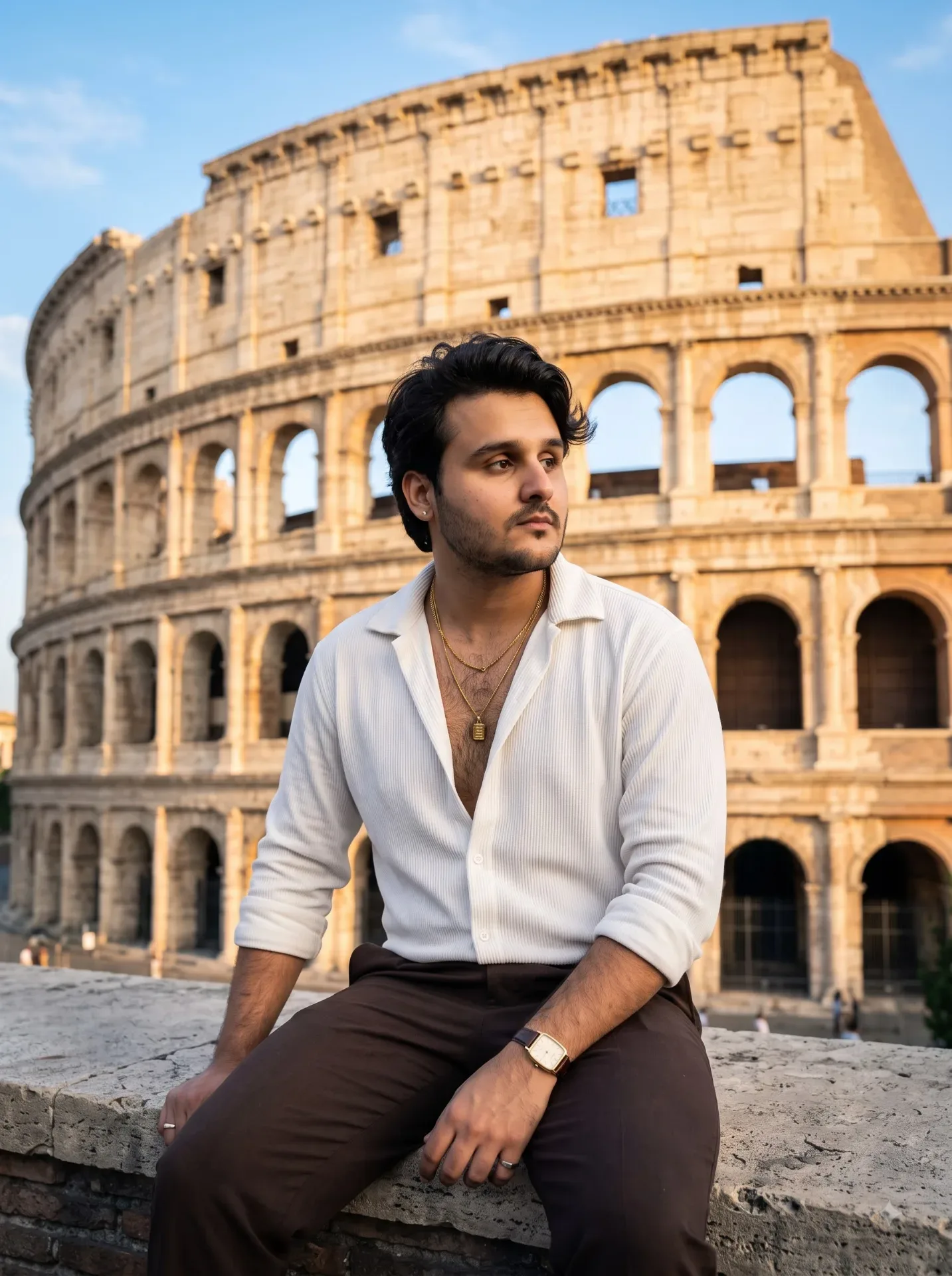
This AI prompt generates a Colosseum In Rome AI Photo Prompt — a high-quality, photorealistic image with balanced lighting, sharp focus, and intricate details suitable for social media sharing and digital content creation.
Optimized specifically for Google Gemini. Simply copy the prompt text below and paste it into the generator. You can easily customize specific keywords like colors, backgrounds, or subjects to make the final output uniquely yours.
Colosseum In Rome AI Photo Prompt - Copy Paste AI Prompt
"A realistic, high-resolution photograph captures a young man sitting casually on a rugged, ancient stone wall with the iconic Colosseum in Rome rising majestically in the background. The scene is bathed in the warm, golden light of late afternoon or early evening, creating a romantic travel aesthetic. The man, who appears in his mid-twenties, is looking off to the right side of the frame with a calm, contemplative expression. He is dressed in a white, ribbed, long-sleeved button-down shirt that is unbuttoned at the top, exposing his chest and two layered gold chain necklaces, one with a circular pendant. The sleeves are rolled up to his forearms. He wears dark brown, relaxed-fit trousers that drape over the stone wall. On his left wrist, a watch with a rectangular gold face and black strap is visible, along with a simple ring on his left ring finger. His right arm is bent across his body with his hand resting near his left elbow, while his left hand rests on his left thigh. Behind him, the massive, curved facade of the Colosseum fills the upper two-thirds of the image. The ancient structure is detailed with rows of arched openings and weathered limestone blocks, some of which are illuminated by the warm, golden sunlight, while others remain in shadow. The sky above is a clear, vibrant blue with a few faint clouds near the horizon on the left. A green vegetation, including pine trees and bushes, frames the Colosseum on the left and right sides, adding a natural element to the architectural backdrop. The foreground stone wall is textured with rough, uneven rocks and patches of moss. The lighting is directional, coming from the right side, casting a warm, golden glow on the right side of the man’s face, his left side, and the upper right sections of the Colosseum, while leaving the white shirt of his body and the lower left of the architecture in softer shadow. The image is a cinematic quality, likely shot with an 85mm lens at a wide aperture like f/2.8, providing a sharp focus on the subject while keeping the background detailed but slightly compressed. The color grading is natural and warm, emphasizing the golden hour tones against the cool blues of the sky. The overall composition is balanced, with the subject anchoring the bottom center and the historic architecture providing a grand, textured backdrop. The mood is serene, stylish, and evocative of a high-end travel lifestyle portrait. The image is 8K quality, ultra-detailed, capturing the texture of the stone, the fabric of the shirt, and the man’s hair with precision, vertical 4:5 aspect ratio."

Optical Identity & Likeness Preservation: Maintain 100% exact facial identity, bone structure, jawline contours, and natural skin undertone of reference photo without alteration or distortion.What You'll Get
- 🎨 Style: Photography
- ✨ Mood: Photography
- 📱 Best For: Ai Image
- 🤖 Works With: Google Gemini
- 🔥 Popularity: Copied 8 times
- 📅 Added: Sep 14, 2026
Frequently asked questions
- How do I use the Colosseum In Rome AI Photo Prompt prompt?
- To use this prompt, simply click the "Copy Prompt" button above. Then, open Google Gemini, paste the copied text into the prompt box, and hit generate. You can instantly generate high-quality images without needing any reference photos.
- What is this prompt best used for?
- This specific prompt is highly optimized for creating engaging social media content and digital art. The formula is structured to produce high-contrast, visually appealing results that perform well on visual platforms.
- Can I customize the details of this prompt?
- Yes! While the core structure of the prompt is optimized for Google Gemini, you can easily customize the details. We recommend changing specific keywords like clothing colors, background locations, or the overall mood (e.g., changing "sunny" to "rainy" or "neon") to match your exact vision.
Explore Related Collections
Explore Photography Prompts — Browse our curated collection of Photography prompts tailored for creators. View all Photography prompts →
Explore Ai Image Prompts — Discover more viral Ai Image ideas for your next AI generation. View all Ai Image prompts →
Explore Trending Prompts — Explore our extensive library of Trending templates ready to copy and paste. View all Trending prompts →