Quick Summary: This verified Google Gemini & Bing Image Creator (DALL-E 3) prompt creates an rich traditional Indian cultural aesthetic for Custom Name Cinematic Portrait Poster AI Photo Editing AI Photo Prompt with calibrated lighting, authentic texture physics, and tested 1-click copy-paste formula for instant AI generation without facial distortion.
- Photography
- Ai Image
- Trending
- Photography
- Ai Image
- Trending
- Viral Prompt
- Gemini Ai
- Bing Image Creator
- Copy Paste
Custom Name Cinematic Portrait Poster AI Photo Editing AI Photo Prompt - Copy Paste AI Prompt
NAME TO DISPLAY: [Your Name here]

Important name instruction:
Replace “Alkama” inside the square brackets above with the user’s required name before generating the image. In the final image, display only the exact name written inside the brackets. Do not display the square brackets, the words “NAME TO DISPLAY,” or any placeholder instructions.

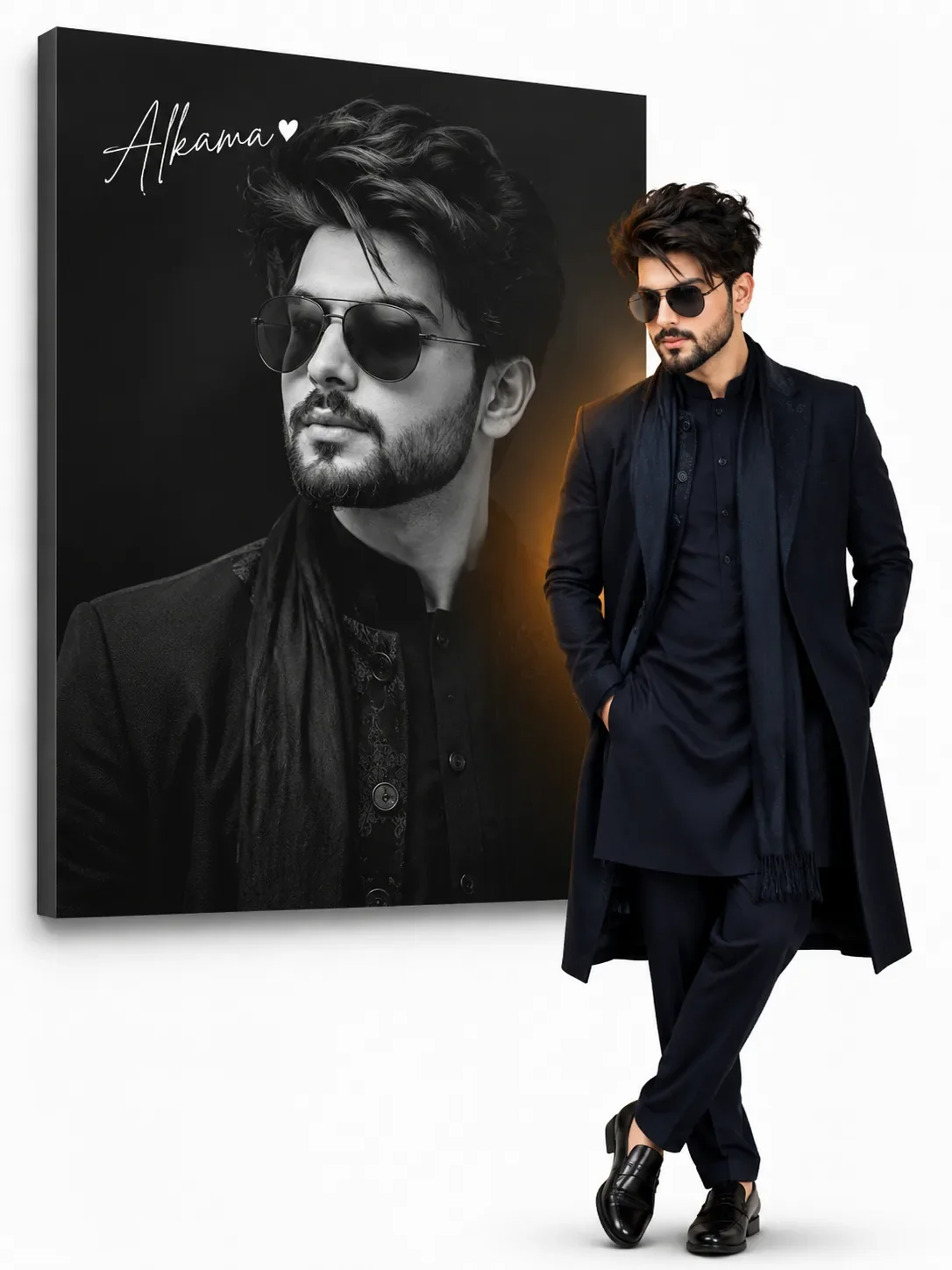
Create a premium, photorealistic vertical portrait photo-edit poster in a 3:4 aspect ratio.

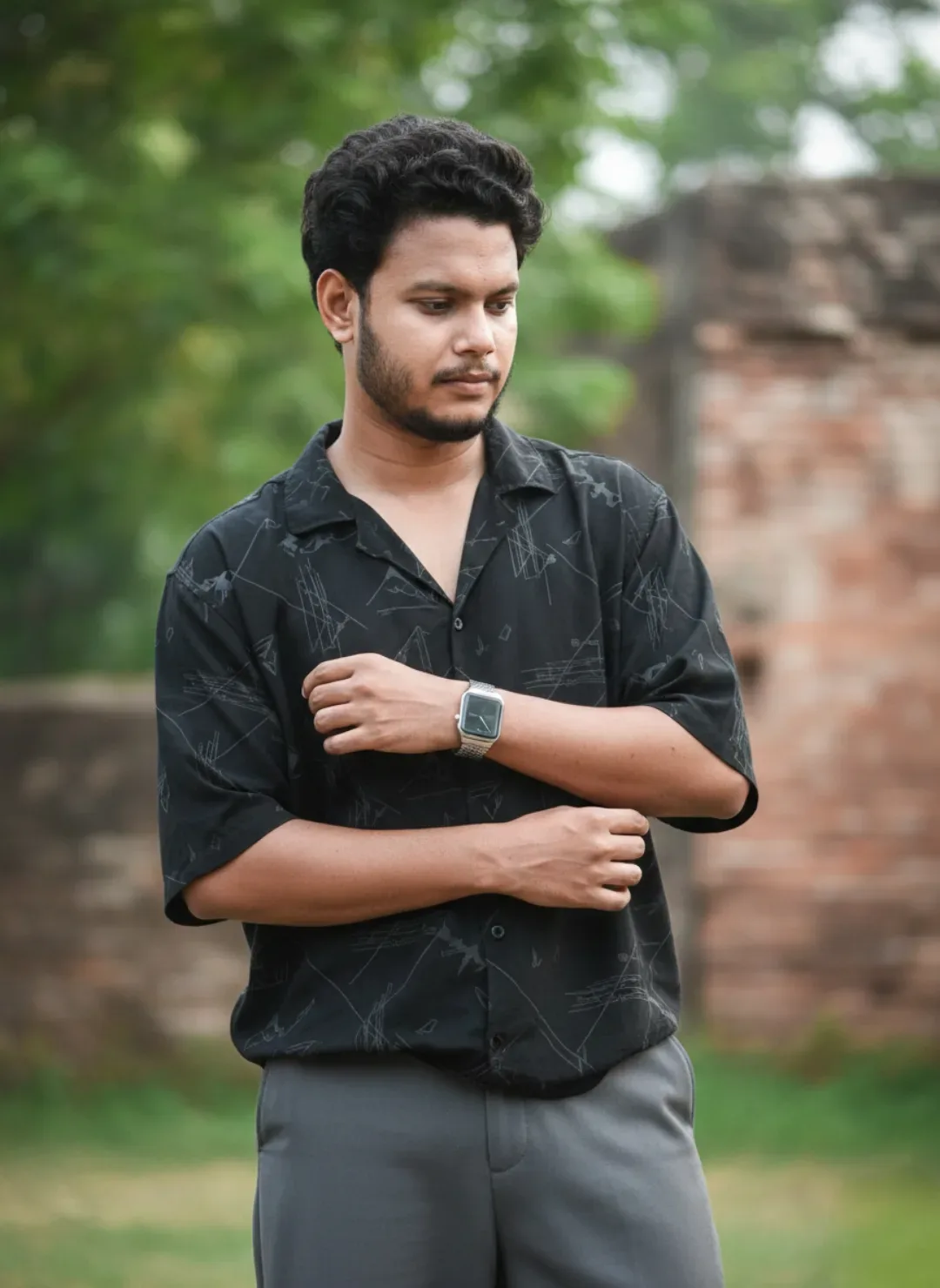
Use the attached boy’s photograph as the exact identity and clothing reference. Preserve his recognizable face, skin tone, wavy black hair, trimmed beard and moustache, rectangular black sunglasses, dark navy traditional kurta-pajama, long coat, scarf, body proportions and black shoes.

Background and layout:
Use a clean pure-white background. Place a large matte-black rectangular portrait panel in the upper-left area, tilted slightly in realistic 3D perspective. Show its dark side thickness and add a soft grey drop shadow behind it.

Inside the tilted panel:
Show a large, dramatic black-and-white upper-body portrait of the same boy. He should have a confident expression and look slightly upward toward the right. The portrait must fill most of the panel while leaving clear space in the upper-left corner for the custom name.

Text:
Write only the exact custom name provided inside the square brackets at the beginning of this prompt. Render the name without brackets in an elegant, thin, white handwritten signature font in the upper-left corner of the black panel. Copy its spelling exactly, including all letters and capitalization. Add one tiny white heart immediately after the name. Do not add any other text.

Foreground boy:
Place a full-color, full-body cutout of the same boy slightly right of center, overlapping the lower-right edge of the black panel. Keep him completely visible from hair to shoes.

Give him a stylish and confident fashion pose:

- Both hands naturally and fully inside the side pockets of his long coat.
- Relaxed shoulders.
- Body turned slightly at a three-quarter angle.
- Chin raised slightly.
- One leg casually crossed or placed slightly forward.
- Natural and anatomically correct body proportions.

Add a subtle warm amber rim glow behind the foreground boy where he overlaps the panel. Add a soft, realistic grounding shadow beneath his shoes.

Keep the composition spacious, clean and professionally balanced. Leave the lower-left white area completely blank.

Important constraints:
Use the reference photo only for the boy’s identity, clothes and appearance. Do not include the vehicle, open door, mountains, road or outdoor background from the reference photo. Do not display the square brackets or placeholder instructions. No additional people, extra text, logo, watermark, “Riya,” “Nikki,” or “photo edit.” Avoid distorted hands, extra fingers, duplicate limbs, altered facial features, cropped shoes or misspelled text. Produce a sharp, high-resolution, realistic professional photo-edit poster.

Optical Identity & Likeness Preservation: Lock subject's authentic facial identity and natural posture while seamlessly integrating with sharp vehicle reflections and cinematic ambient lighting.Lock 100% exact facial identity, bone structure & eye shape in Gemini & Bing.
Technical Prompt Parameters (Traditional Ethnic Indian)
| Parameter | Configuration | Output Impact |
|---|---|---|
| Target AI Engine | Google Gemini & Bing Image Creator (DALL-E 3) | Accurately understands intricate South Asian ethnic motifs, zardozi embroidery, and festive ambiance. |
| Recommended Aspect Ratio | 9:16 (Story / Reels / DP) or 3:4 (Portrait) | Optimized for mobile festive display pictures, WhatsApp status, and Instagram reels. |
| Camera & Lens Settings | 85mm f/1.4 G-Master, Sony A7R V, 61MP ultra-high texture fidelity | Resolves micro-level silk weave, mirror embroidery, and jewelry sparkle with zero blur. |
| Lighting Style | Festive diya ambient warmth + soft golden temple architectural light | Accentuates vibrant colors (marigold, crimson, gold) while keeping skin tones natural. |
| Negative Constraints | western attire, distorted jewelry, unnatural skin bleaching, muddy colors, deformed hands | Guarantees authentic cultural attire detailing and natural Indian skin melanin realism. |
| Reference Photo | Upload a front-facing portrait wearing festive or simple ethnic attire. | Upload front-facing reference photo for face matching. |
How to use this prompt
- Copy the prompt, open Google Gemini or Bing Image Creator, attach your reference photo, and generate instant 8K results.
How to get better results from Custom Name Cinematic Portrait Poster AI Photo Editing AI Photo Prompt
Free 1-click copy custom name cinematic portrait poster ai photo editing ai photo prompt for Google Gemini and Bing Image Creator. Authentic photography aesthetic, realistic lighting, and instant camera settings. Use it as a copy-ready starting point, then adjust the subject, scene, tone and output format for your own result.
- Photography
- Ai Image
- Trending
- Viral Prompt
- Gemini Ai
- Bing Image Creator
Customize before generating
- Replace the main subject, name, product or character details.
- Adjust lighting, background, mood, camera angle or aspect ratio if the prompt is visual.
- Change tone, audience, language and output format if the prompt is for text.
- Keep this core idea clear: NAME TO DISPLAY: [Your Name here] Important name instruction: Replace “Alkama” inside the square brackets above with the user’s required name before generating...
Quick variations to try
- Make Custom Name Cinematic Portrait Poster AI Photo Editing AI Photo Prompt more cinematic with stronger lighting and richer background detail.
- Turn Custom Name Cinematic Portrait Poster AI Photo Editing AI Photo Prompt into a cleaner mobile-first version for social media posts or profile use.
- Create a premium version of Custom Name Cinematic Portrait Poster AI Photo Editing AI Photo Prompt with sharper style, higher detail and a more polished final output.